
Deploy a narrow, governed AI sales agent for inbound qualification or meeting booking before touching anything more ambitious. Teams that get their CRM data clean and keep the agent’s scope tight typically see qualified leads rise, meetings get booked faster, and sellers reclaim hours previously lost to manual follow-up. The catch: none of that happens without a human-review gate and a clear data governance plan in place from day one.
TL;DR:
- Success depends on starting with clean CRM data and clearly defining a narrow scope for the initial AI agent to prevent costly mistakes.
- The most effective deployment begins with inbound qualification or meeting booking agents that handle specific tasks and have human review checkpoints.
- Proper governance measures, such as audit logging, escalation paths, and restrictions on tool calls, are essential to mitigate risks like prompt injection.
- Full implementation requires thorough integration, including data hygiene, API setup, and a dedicated owner for ongoing monitoring and governance.
- Typical pilot timelines are three to four months for a single task, with multi-agent orchestration requiring six to nine months to reach full operational scale.
Table of Contents
- What is a sales AI agent, and how is it different from a chatbot?
- What are the main types of sales AI agents?
- How much impact can an AI sales agent actually deliver?
- What governance controls does an AI sales agent need?
- How do you integrate and roll out an AI sales agent?
- How do you measure whether your AI sales agent is working?
- How does Brainiac Consulting approach agentic sales deployments?
- An operator’s honest take on what surprises teams first
- How to start deploying a governed sales AI agent
- Sources
- FAQ
What is a sales AI agent, and how is it different from a chatbot?
A sales AI agent is software that holds a goal, remembers context across sessions, and calls tools on its own to move a task forward without a human clicking “next” at every step. That’s the operational definition that matters for a buying decision, and it’s what separates an agent from the chatbots and copilots most sales teams have already lived with for years.
A chatbot is reactive. It waits for input, matches it to a response, and stops. It has no persistent memory of the lead beyond the current conversation and no ability to independently check a CRM record, send a follow-up email three days later, or decide a lead needs escalation to a human rep. A copilot is assistive: it drafts an email, suggests a next step, or summarizes a call, but a person still has to approve and execute nearly everything it produces.
An agent does the work between those two extremes and beyond it. It can pull a new inbound lead’s firmographic data, cross-reference it against your ideal customer profile, ask two or three qualifying questions over chat or email, check your sales reps’ calendars, and book a meeting, all without a human touching the process until a review checkpoint. That’s the “long-running, stateful, tool-calling” behaviour that defines the category: the agent remembers where a lead is in the conversation, holds state across days or weeks, and takes real actions in real systems rather than just producing text for someone else to act on.
In a working sales process, agents typically own a specific slice of the funnel rather than the whole thing. Common ownership patterns include:
- Qualifying inbound leads against defined criteria before a rep ever sees them
- Drafting and sending personalized outbound sequences across email and chat
- Booking and confirming meetings directly against a rep’s live calendar
- Monitoring stalled deals and triggering nudges, reminders, or escalations
- Enriching CRM records with firmographic and intent data as new information surfaces
None of that requires the agent to run unsupervised forever. It requires the agent’s scope to be defined narrowly enough that its mistakes are cheap and its escalation paths are obvious, a theme that runs through every governance conversation later in this piece.
What are the main types of sales AI agents?
Most production deployments fall into four patterns, and picking the wrong one for your starting point is the single most common reason pilots stall.
Inbound qualification agents handle leads the moment they hit a form or chat widget. They ask discovery questions, score the response against your criteria, and hand off to a rep only once a lead clears the bar. The handoff pattern matters as much as the qualification logic itself: a well-designed agent passes a rep a summarized transcript and a recommended talk track, not just a name and an email address dumped into the CRM.
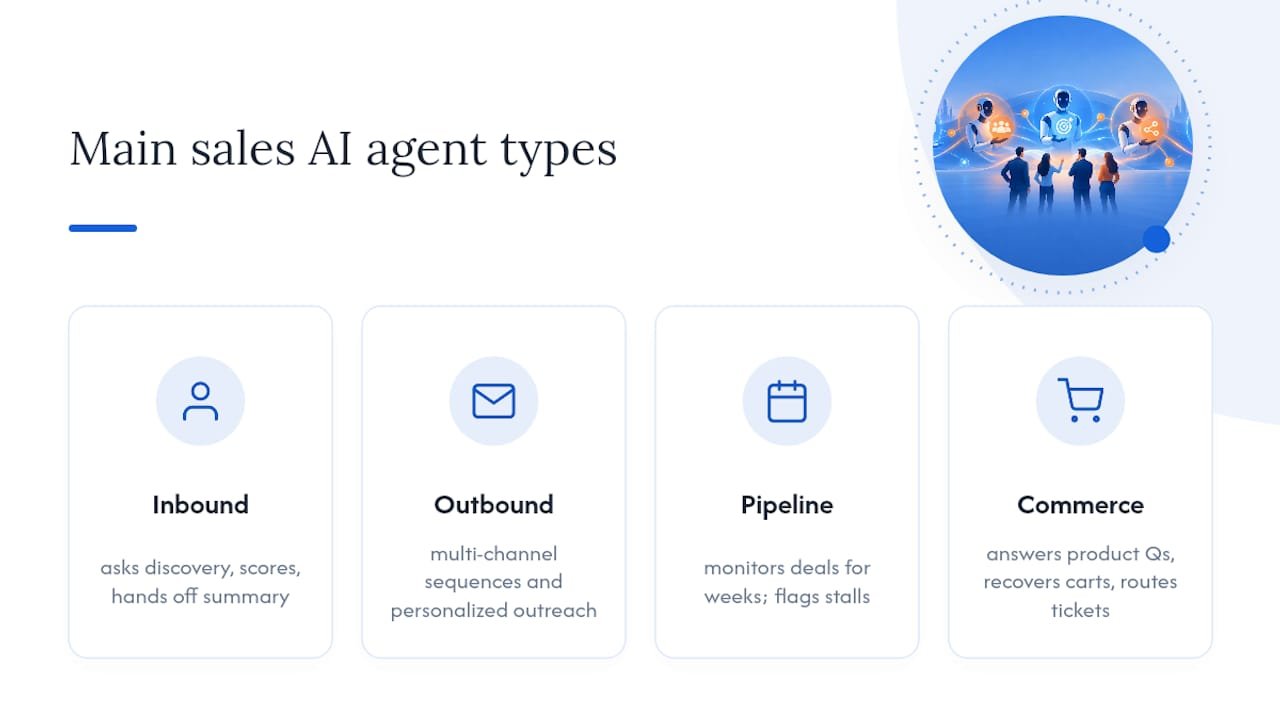
Outbound prospecting agents work multi-channel sequences, drafting and sending personalized emails, LinkedIn messages, or SMS based on signals like a funding announcement, a job change, or a technology adoption event. This is where orchestration complexity climbs fastest, because the agent has to coordinate timing and messaging across channels without duplicating touches or contradicting itself. Third-party analysis of multi-channel funnel performance backs up what most RevOps leaders already suspect: coordinated, multi-touch outreach consistently outperforms single-channel blasts, which is exactly the coordination problem an agent is built to solve.
Pipeline progression agents run longer. They monitor open opportunities, flag stalled deals, draft follow-up content when a prospect goes quiet, and update forecast fields as new signals arrive. These agents live inside the CRM for weeks or months per deal, which is a different risk profile than a qualification agent that finishes its job in a single session.
Commerce and customer-service agents sit closer to the ecommerce side of the business: answering product questions, recovering abandoned carts, or routing a support ticket to the right queue. For teams running ecommerce AI automation alongside a B2B motion, this is often the easiest entry point because the decision space is narrower and the cost of a wrong answer is lower than in enterprise sales.
The question of single-agent versus multi-agent orchestration comes up early in almost every planning conversation, and the honest answer is: not yet, for most teams. Halkwinds Research finds multi-agent orchestration can process many times more tasks per day than a single agent working alone, but it also stresses that governance and a proper agent operating layer are prerequisites, not afterthoughts, before that throughput gain is safe to capture. Prove one agent in production first. Add a second only once the first is boring.
How much impact can an AI sales agent actually deliver?
The honest range is wide, and the reason is not the technology, it’s the reader’s own data hygiene. G2’s analysis of verified reviews found that most buyers report positive sentiment toward AI sales assistants, but the real differentiator between a glowing review and a quiet cancellation is execution quality: integration depth, data readiness, and how tightly the deployment was customized to the actual workflow.
The variance in outcomes traces almost entirely back to two variables: how clean your CRM data was on day one, and how narrowly the agent’s job was defined. Teams that treat those as afterthoughs get afterthought results.
Salesforce’s own survey of agentic AI deployers backs this up directly: organizations that reach meaningful return on investment tend to have clean data and tightly bounded agent scope, and many report time-to-ROI measured in months rather than years. That’s a materially different picture than the “instant transformation” pitch some vendors lean on, and it’s the more useful number for building a business case, because it’s grounded in what preparation actually buys you.
The productivity story is the most consistent thread across the research. Sellers spend less time on manual qualification and data entry, follow-up happens faster because the agent doesn’t wait for a free afternoon, and reps get handed warmer conversations instead of cold lists. Harvard Business Review’s longstanding argument on AI in sales still holds: the technology amplifies existing process discipline rather than replacing the need for it. A messy pipeline fed into an agent produces a faster, more consistent mess. A disciplined pipeline fed into an agent produces a faster, more consistent pipeline.
That’s the honest framing for anyone building a business case: expect a range, not a guarantee, and expect your own inputs to be the biggest variable in where you land inside that range.
What governance controls does an AI sales agent need?
This is the section vendors skip in their demo decks, and it’s the one that determines whether your pilot survives contact with a real customer list.
Prompt injection is the risk category most sales teams haven’t budgeted for. A prospect can embed instructions inside an email reply, a form field, or a chat message designed to hijack the agent’s next action, everything from getting it to disclose internal pricing logic to convincing it to send outbound content it was never authorized to send. Conventional application security, the kind built for SQL injection or cross-site scripting, doesn’t catch this, because the attack vector is natural language, not code. Qualitative industry reporting increasingly points to prompt injection and runtime manipulation already showing up in live deployments, which is why security and risk teams need a seat at the table before launch, not after an incident.
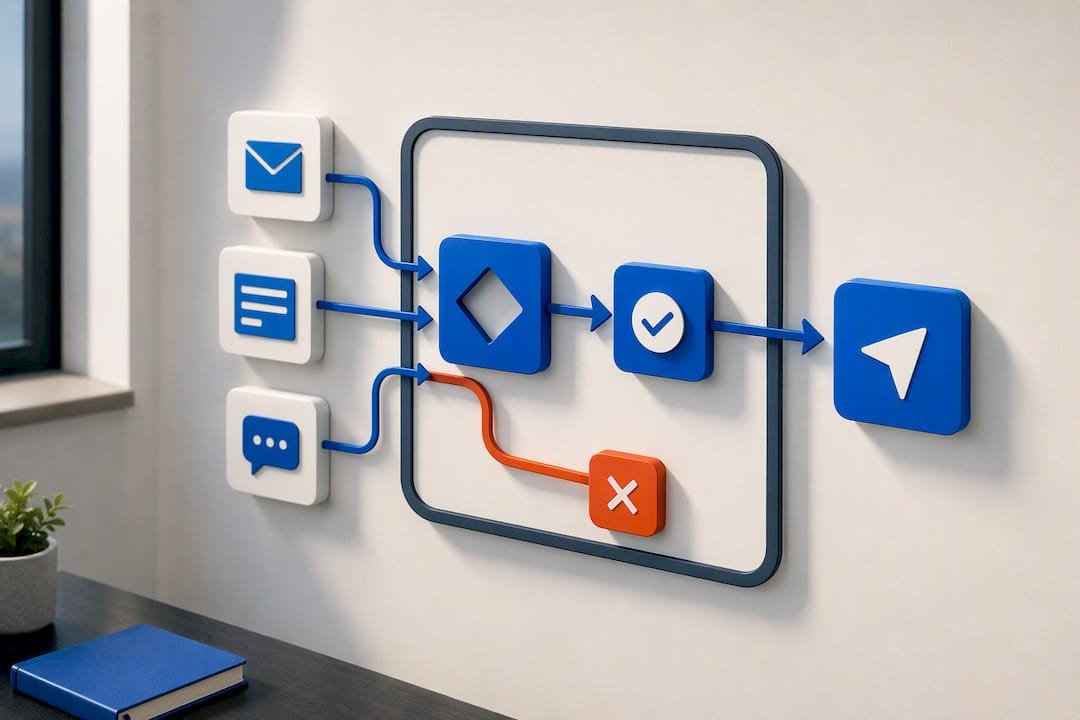
Human-in-the-loop design is the practical answer. That doesn’t mean a human approves every message an agent drafts, which defeats the purpose. It means defining specific checkpoints where a human must sign off: before an agent sends its first message to a net-new account, before it commits to a meeting time on a rep’s calendar, before it updates a deal stage that affects forecast numbers. Get those checkpoints right and the agent still saves enormous time; get them wrong and you’ve built an unsupervised system with a company email address.
Four elements form the backbone of a working agent operating layer:
- Tool-call scoping — the agent can only call the specific APIs and actions you’ve explicitly permitted, nothing broader
- Audit logging — every action the agent takes is recorded with enough detail to reconstruct what happened and why
- Escalation paths — a defined, tested route for the agent to hand a conversation to a human when it hits ambiguity or risk
- Rollback capability — a way to reverse an agent action (a sent email, a booked meeting, a CRM update) if it turns out to be wrong
Gartner’s research on agent architecture points to exactly this: architectural and governance choices are the principal differentiator between pilots that stall out and programs that scale cleanly. The teams that build the operating layer before the first real prospect touches the agent are the ones that scale without a fire drill.
Pro Tip: Assign a named owner for agent governance before you write a single prompt. If nobody’s job description includes “review the agent’s escalation logs weekly,” nobody will do it, and the first sign of trouble will be a customer complaint rather than an audit flag. Our governance implementation framework walks through how to structure that ownership across security, legal, and revenue operations.
None of this is a one-department job. Security needs to stress-test for injection and data leakage, legal needs to sign off on what the agent is allowed to promise a prospect, and RevOps owns the day-to-day performance and CRM hygiene that determines whether the agent’s outputs are trustworthy. Skip any one of those three and you’ll find the gap the hard way.
How do you integrate and roll out an AI sales agent?
Integration work is where most of the actual budget and calendar time goes, well ahead of anything related to the AI model itself. Get this part right and everything downstream is easier.
Start with data hygiene, because an agent making decisions on duplicate, stale, or mismatched records will confidently make wrong decisions at scale. Identity resolution, matching a lead’s email, phone number, and company record to a single canonical profile, has to happen before the agent starts qualifying anything. MuleSoft’s integration case studies consistently show that pulling consistent, canonical data into agent workflows is what prevents the operational friction that kills pilots in their first month, well before governance issues even surface.
A practical rollout sequence looks like this:
- Audit your CRM data for duplicate records, missing fields, and inconsistent lead-source tagging before scoping anything
- Map your integration points — CRM, calendar system, email platform, and whatever intent-signal tools you already run — and confirm each has a stable, authenticated API connection
- Select one narrow pilot use case, typically inbound qualification, because it has the clearest success criteria and the lowest downside if something goes wrong
- Define the human-review gates for that specific use case before writing a single prompt
- Run the pilot for one full sales cycle with close monitoring, not a two-week trial that ends before you’ve seen a full funnel pass through it
- Only after the single agent is proven, evaluate whether a second agent or multi-agent orchestration is worth the added complexity
Beyond the sequencing, a short checklist of integration basics saves weeks of rework later:
- Confirm CRM API rate limits before designing high-volume outbound flows
- Set up OAuth or equivalent authenticated access rather than shared credentials
- Build a sandbox environment that mirrors production data structure, not a stripped-down demo dataset
- Define what “clean enough” data means for your specific use case before the audit, not after
- Establish a monitoring dashboard the agent’s owner checks daily during the pilot window
Our own CRM readiness checklist goes deeper into the specific technical steps for this stage because it’s consistently the phase that determines whether week three of a pilot feels like progress or triage.
Once the pilot is live, the operational runbook matters as much as the initial build. Someone needs to own weekly monitoring of the agent’s decisions, a defined cadence for retraining or reprompting as your product or market shifts, and a clear record of who gets called when the agent hits an edge case it wasn’t designed for. Treat this like any other production system with an on-call rotation, not a set-and-forget script.
How do you measure whether your AI sales agent is working?
Four KPIs cover almost every deployment worth tracking, and picking the right ones up front keeps the pilot honest instead of vague.
- Qualified leads produced — did the agent’s qualification logic actually improve lead quality, not just lead volume?
- Meetings booked per week — the clearest proxy for whether the agent is moving prospects through the funnel, not just talking to them
- Seller hours saved — measured against a baseline of how long qualification and scheduling took before the agent existed
- Funnel conversion lift — the percentage change in lead-to-opportunity or opportunity-to-close rates once the agent is live
Timelines matter as much as the metrics themselves. Halkwinds Research recommends proving a single-agent workflow within three to four months for a narrow task before considering anything more ambitious, and budgeting six to nine months if multi-agent orchestration turns out to be genuinely necessary for throughput. That’s a useful planning anchor: if your pilot is still unproven at month five, the problem is very likely data or scope, not the agent itself.
For a basic ROI model, four inputs get you most of the way: the fully loaded cost of the seller hours the agent frees up, the incremental revenue from additional meetings booked, the one-time build and integration cost, and the ongoing monitoring and governance cost. Divide the build cost by monthly net gain (hours saved plus incremental pipeline value, minus ongoing costs) and you’ll have a rough payback period. Most teams following Salesforce’s clean-data, bounded-scope pattern land that payback inside the same months-not-years range the survey reports for time-to-ROI.
How does Brainiac Consulting approach agentic sales deployments?
We build and operate AI agents for a living, not just design them and hand over documentation, which shapes how we sequence every engagement.
Initial advisory work includes an AI readiness assessment baseline, opportunity mapping to prioritize valuable use cases, and a roadmap with a defined business case, so a client knows what they’re committing to before development begins. From there, custom agent deployment builds an agent against the client’s CRM and workflow, and product lines provide operations teams visibility into what deployed agents are doing in production, avoiding black-box scenarios.
A few things distinguish how we sequence this work:
- Engagements often start with a single-agent pilot, matching commonly recommended sequencing patterns, before considering multi-agent orchestration.
- Governance and guardrails, including audit logging and human-review gates, are incorporated during the build phase rather than added afterward.
- An open-source methodology allows clients to inspect how their agent makes decisions rather than relying solely on vendor assurances.
- Integrations run natively against popular marketing platforms such as CRM and marketing automation tools, enabling agents to operate within existing systems instead of separately.
Pro Tip: Ask any AI agent vendor how they handle the review gate for the agent’s very first unsupervised customer interaction. If the answer is vague, that’s the governance gap that will bite you first.
An operator’s honest take on what surprises teams first
The biggest surprise isn’t the AI. It’s discovering how much of your own CRM data was never actually clean, just tolerable, because a human was quietly correcting it in real time for years. An agent doesn’t quietly correct anything. It acts on exactly what it’s given.
Do this first: pick one narrow workflow, fix the data feeding it, and define your review gates before you write a single prompt. Avoid this trap: letting a vendor’s demo timeline set your expectations for your own rollout. Demos run on clean sample data. Your CRM doesn’t.
— Don
How to start deploying a governed sales AI agent
If you’ve read this far, you already understand the pattern that separates a pilot that scales from one that quietly dies in month three: clean data, a tightly scoped first agent, and governance built in from day one rather than retrofitted after something goes wrong. That’s the exact sequence we run with clients through our Agentic AI Enablement service, and it’s the reason our engagements start with readiness, not with a build.
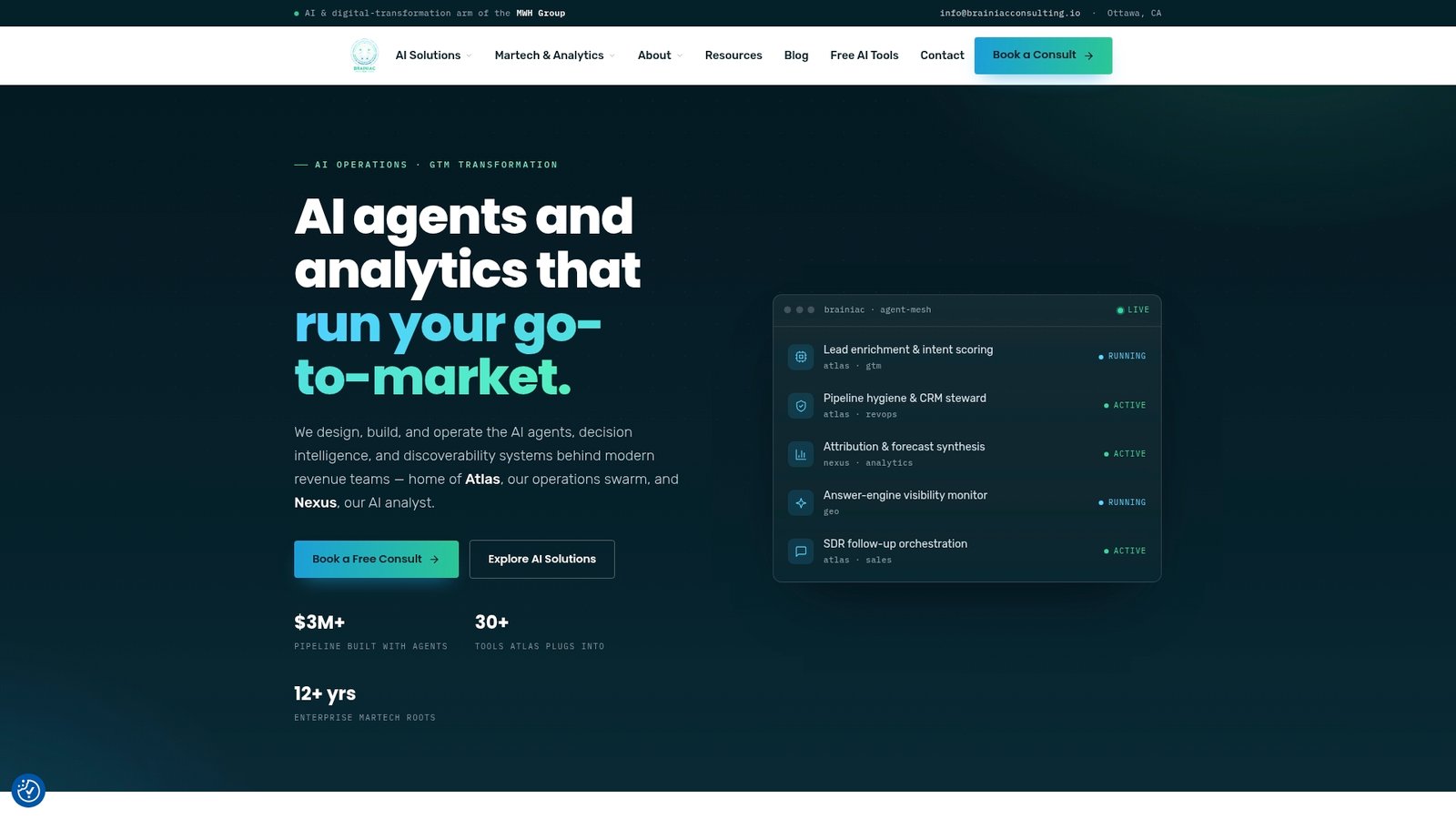
Where a typical agency sells you a chatbot integration and calls it done, we design, deploy, and operate the agent inside your actual CRM, with the audit logging and escalation paths that make it defensible to your security team on day one. Advisory services including readiness assessments and roadmaps help clarify the business case before committing to build, followed by deployment and operations support through production. You can review how past engagements were scoped and what they delivered in our case studies, and see the operational model behind our platform on the Atlas AI operations page.
The next step is simple: request an AI readiness assessment, get a clear picture of what your data and integrations actually support today, and scope a single pilot agent against a real workflow. Start that conversation at Brainiacconsulting.
Sources
- What G2 reviews reveal about AI sales assistants
- AI Agent Adoption Report 2026 | Halkwinds Research
- Agentic AI study: preparation beats speed for ROI – Salesforce
- How AI is streamlining marketing and sales – HBR
FAQ
Can AI agents actually do sales?
Yes, within a defined scope. Agents can qualify inbound leads, book meetings, run outbound sequences, and progress stalled deals, but they perform best when handling a specific slice of the funnel rather than the entire sales cycle unsupervised.
Which AI agent is best for sales?
There’s no single best agent, since the right choice depends on your priority use case, whether that’s inbound qualification, outbound prospecting, or pipeline progression, and how ready your CRM data is. A custom-built agent scoped to your specific workflow, like the pilots Brainiac Consulting designs through its Agentic AI Enablement service, generally outperforms a generic off-the-shelf tool because it’s built against your actual data and process.
What are the “big four” AI agents?
There’s no universally agreed “big four” list for sales-specific agents; the category is still young and fragmented across qualification, outbound, pipeline, and commerce use cases. Rather than chasing a fixed vendor list, evaluate providers against your specific use case, data readiness, and governance requirements.
What are the seven types of AI agents?
Definitions vary across the industry, but sales-relevant agent types generally cluster into four practical categories: inbound qualification, outbound prospecting, pipeline progression, and commerce or customer-service agents. Broader AI literature sometimes adds categories like reflex, model-based, goal-based, and utility-based agents, which describe the underlying reasoning architecture rather than the business use case.
How long does it take to deploy a sales AI agent?
A single-agent pilot for a narrow task, like inbound qualification, typically proves out in three to four months, according to Halkwinds Research. Multi-agent orchestration for higher throughput needs, six to nine months, and should only be attempted after the first agent is stable in production.