
Default to a single agent with well-defined tools. That’s the architecture most teams should prototype first, and it’s the one that solves the majority of production use cases without the operational overhead of a multi-agent system. Move beyond it only when task decomposition, specialisation, or auditability genuinely demand more. Keep the design decision simple (KISS), and once tools enter the picture, hold the line on one agent per tool wherever you can.
TL;DR:
- Most teams should start with a single agent that uses a well-defined toolset, avoiding unnecessary complexity until specific needs for specialization or auditability arise.
- Building effective agents requires collecting concrete, measurable requirements on accuracy, throughput, latency, security, and human oversight before choosing architecture patterns or tools.
- A single-agent system is ideal when tasks are bounded, tools are limited in number, auditability is critical, and cost efficiency matters, with iteration and version control being key.
- Multi-agent patterns such as sequential, parallel, or hierarchical are appropriate only when tasks genuinely decompose into sub-problems that benefit from decentralization or parallelism, but increase token cost and complexity.
- Ensuring reliability involves strict orchestration controls, input/output validation, sandboxed execution, hard approval gates for high-risk actions, and comprehensive run-level monitoring and testing.
Table of Contents
- What does good AI agent design actually involve?
- How do you translate requirements into architecture constraints?
- When is a single-agent architecture the right call?
- What are the main multi-agent orchestration patterns?
- How should you choose models and design agent tools?
- What orchestration and guardrails keep agent runs reliable?
- How do you test, monitor, and deploy agents in production?
- What has Brainiac learned building agents for production clients?
- What actually separates working agent systems from failed ones?
- How Brainiac can help you move from prototype to production
- Sources
- FAQ
What does good AI agent design actually involve?
Agent design isn’t a single decision. It’s a lifecycle, and teams that skip steps in it are the ones who end up rebuilding their architecture six months into a production rollout.
The engineering path runs in a predictable sequence: requirements gathering, task decomposition, pattern selection, prototyping, evaluation, deployment, and ongoing operation. Each stage feeds constraints into the next. You can’t select an orchestration pattern intelligently until you know your latency budget. You can’t size your tool set until you know which actions require human approval.
Before writing a line of orchestration code, capture these inputs:
- Service-level objectives (SLOs) for accuracy, completion rate, and uptime
- The cost envelope per run or per session, not just per token
- Latency targets tied to the actual user experience, not an arbitrary number
- Data access boundaries: what the agent can read, write, and where it can’t go
- Privacy constraints tied to the data categories the agent will touch
- The human oversight policy: which actions need a person in the loop before execution
Anthropic’s engineering guidance on building effective agents makes a point worth repeating here: successful deployments tend to start with the lowest level of architectural complexity that reliably meets the requirement, then add complexity only when a measurable gate proves it’s necessary. That’s not caution for its own sake. It’s a defence against what practitioners sometimes call the complexity trap: adding agents, tools, and orchestration layers because they seem sophisticated, not because the task requires them.
Iterative prototyping matters more than upfront design perfection. Build the smallest version that could plausibly work, run it against real scenarios, and measure where it breaks before deciding whether the fix is a better prompt, a new tool, or an entirely different orchestration pattern. Teams that skip this step tend to overengineer early and undertest late, which is the exact inverse of what production readiness requires.
How do you translate requirements into architecture constraints?
Every architecture decision downstream of this step is a bet against numbers you haven’t yet written down. That’s the problem. Vague product requirements (“make it fast,” “keep it accurate”) don’t translate into engineering decisions, and teams that skip the translation step end up making architecture calls based on gut feel rather than evidence.
Before selecting a pattern, record the following as concrete, measurable targets:
- Success metrics. Define accuracy and task-completion rate numerically, not descriptively. “Mostly correct” isn’t a metric; “95% of extracted fields match ground truth” is.
- Throughput and SLOs. How many runs per minute does the system need to sustain, and what’s the acceptable failure rate before a human gets paged?
- Latency and cost budgets. Set a hard ceiling per run, not just an average. Multi-agent patterns can quietly blow both if nobody sets a boundary early.
- Security and compliance boundaries. Map exactly which data sources and write actions each tool can touch, and document who approved that access.
- Human oversight policy. Decide, in writing, which categories of action execute automatically and which require a person to sign off before anything happens.
That last point deserves its own emphasis. OpenAI’s developer guidance on building agents treats human-in-the-loop checkpoints as a requirement for high-risk actions, not an optional safety layer. If your agent can issue a refund, modify a customer record, or trigger a payment, that action belongs behind an approval gate from day one, not retrofitted after an incident.
Pro Tip: Write your human oversight policy as a table with three columns: action, risk tier, and approval requirement. It forces the conversation you’d otherwise avoid until an agent does something you didn’t authorise.
Teams building internal capability around this often start by defining roles clearly, and a structured AI agent job description template can shortcut that conversation when you’re staffing the people who’ll own these decisions.
When is a single-agent architecture the right call?
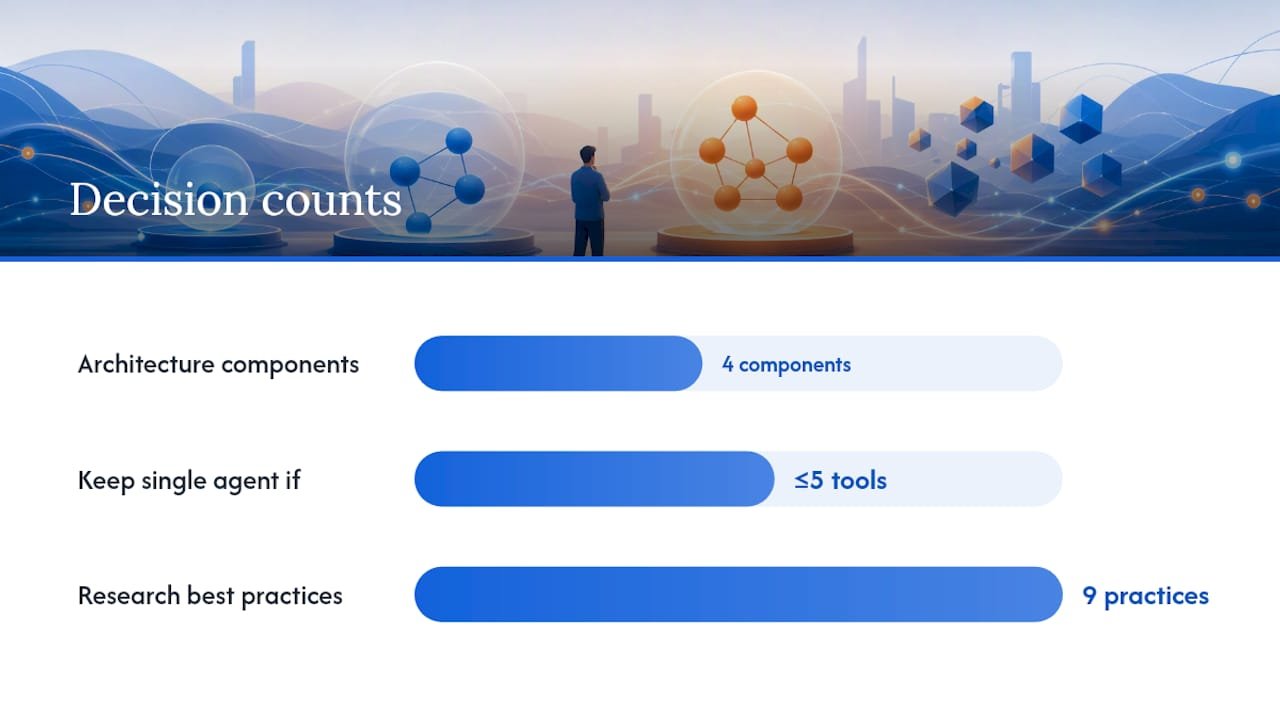
A single agent, one model, a defined toolset, and a run loop, handles more production workloads than most engineering teams assume. The architecture consists of four components: the model itself, the tools it can call, a memory or context strategy, and an instruction set that governs behaviour across a run.
Getting each of those four right matters more than the number of agents in your system.
Externalise your prompts and version them like code. A prompt embedded in application logic is a hidden dependency nobody can audit. Store instructions separately, track changes with the same rigour you’d apply to a schema migration, and roll back a prompt change the same way you’d roll back a bad deploy.
Treat tool contracts as APIs, not suggestions. Define explicit input and output schemas for every tool, test them independently of the agent that calls them, and instrument every failure path so you know when a tool call failed versus when the model misused a tool that worked correctly.
Version tools alongside prompts. If a tool’s schema changes, the prompt referencing it likely needs to change too. Decoupling these creates silent breakage.
Single-agent systems are the right starting point when:
- The task is bounded, meaning it has a clear start and end state
- The tool count is small enough that one agent can reason about all of them without confusion
- Auditability matters, since a single decision-making path is far easier to trace than a handoff chain
- Cost sensitivity is high, because every additional agent in a chain multiplies token spend
Research into production-grade agentic workflows on arXiv frames this as part of a broader tool-first design discipline: pure-function tool invocation, single-tool agents, and externalised prompt management all reduce the surface area where things go wrong. The nine best practices in that research converge on a theme: modularity and restraint outperform sprawling capability every time complexity gets added without a corresponding requirement forcing it.
If your agent needs five or fewer tools and the task doesn’t require specialised reasoning at different stages, resist the urge to split it. A single well-instrumented agent is easier to debug, cheaper to run, and faster to iterate on than a distributed system solving the same problem.
What are the main multi-agent orchestration patterns?
Multi-agent systems earn their complexity when a task genuinely decomposes into distinct sub-problems that benefit from specialised reasoning, parallel execution, or independent review. Google Cloud’s architecture guidance on choosing a design pattern for agentic AI systems categorises the field into a handful of canonical patterns, each with distinct trade-offs in token cost, latency, and how hard the system is to debug when it fails.
Sequential. Agents run in a fixed pipeline, each one’s output feeding the next. Good for workflows with a clear order of operations, like research, then draft, then fact-check. Failure is easy to localise since you know which stage produced bad output, but total latency stacks across every step.
Parallel. Independent agents run simultaneously on different facets of a task, then results merge. Useful when sub-tasks don’t depend on each other, cutting wall-clock time. The cost is aggregation complexity: someone or something has to reconcile potentially conflicting outputs.
Loop, or iterative refinement. An agent (or pair of agents) repeats a generate-evaluate cycle until a quality threshold is met. Effective for tasks like code generation or content polishing, but token cost grows with every iteration, and you need a hard iteration cap to avoid runaway loops.
Review and critique. One agent produces work, a second agent critiques it against defined criteria before it ships. This catches errors a single agent would miss reviewing its own output, at the cost of doubling the reasoning calls per task.
Coordinator, or manager. A central agent routes sub-tasks to specialised worker agents and assembles the final result. This pattern scales well to many specialised skills but creates a single point of failure at the coordinator, and its decision logic needs to be as deterministic as possible.
Hierarchical decomposition. A manager breaks a complex goal into sub-goals, delegates those to mid-level agents, which further delegate to workers. Suited to genuinely large, multi-layered problems, but observability gets harder with every layer you add.
Swarm, or collaborative. Multiple agents with overlapping capabilities negotiate or vote toward a solution without strict hierarchy. Rare in production because it’s the hardest pattern to make deterministic and auditable.
Every pattern beyond single-agent adds token cost and latency, and every handoff between agents is a place where context can get lost or corrupted. The context passing strategy deserves specific attention: pass summaries rather than raw transcripts between agents wherever possible, since raw context bloats token usage and can degrade reasoning quality as the window fills. Anthropic’s guidance on context management recommends automatic context editing and external memory tools specifically to prevent this kind of degradation across long-running multi-agent sessions.
- Use the manager-as-tool pattern when a coordinator only needs to call a worker agent and receive a result, not manage an ongoing conversation with it.
- Prefer deterministic workflow agents (plain code, not model-driven routing) for any step where the decision logic is fixed and doesn’t require reasoning.
- Reserve model-based routing for genuinely ambiguous delegation decisions, since coded logic is faster, cheaper, and easier to test.
Pro Tip: If you’re building a coordinator pattern, treat the manager as a router first and a reasoner second. Hard-code the routing logic wherever the decision is rule-based, and reserve model calls for the genuinely ambiguous cases.
How should you choose models and design agent tools?
Model selection is a role-matching exercise, not a single “best model” decision. A task requiring deep multi-step reasoning has different requirements than one doing straightforward extraction or generation, and using an oversized model for a simple extraction task burns cost and latency for no accuracy gain.
Match capability to role deliberately:
- Use a stronger reasoning model at decision points where the agent must plan, prioritise, or judge ambiguous inputs.
- Use a faster, cheaper model for extraction, classification, or templated generation tasks where the reasoning demand is low.
- Benchmark speed, cost, and capability together, since the “best” model on a leaderboard is often the wrong choice once latency budgets and per-call cost enter the equation.
Tool design deserves the same rigour you’d apply to any external API, because that’s effectively what a tool is from the model’s perspective. Define explicit input and output schemas for every tool. Assign clear error codes rather than free-text failure messages, since a model can act on a structured error far more reliably than on a vague one. Favour idempotent operations wherever the underlying action allows it, so a retried call doesn’t create a duplicate side effect.
Prefer pure functions over stateful tool implementations when possible. A tool that always produces the same output for the same input is dramatically easier to test, cache, and debug than one carrying hidden state between calls.
Package related capabilities into modular Skills rather than stuffing every instruction into one monolithic prompt. This keeps individual prompts focused, makes testing each capability in isolation possible, and avoids the situation where changing one instruction accidentally breaks unrelated behaviour elsewhere in the same prompt. The one-agent-one-tool principle extends naturally here: an agent reasoning over a smaller, well-scoped toolset is measurably easier to interpret and debug than one juggling a dozen overlapping capabilities.
What orchestration and guardrails keep agent runs reliable?
Orchestration choice determines how predictable your system behaves under load, and it splits into three broad approaches. Deterministic workflow agents use plain code to sequence steps, with no model involved in the routing decision itself. Model-driven managers use an LLM to decide what happens next based on context. Most production systems land on a mixed approach: deterministic code for anything rule-based, model reasoning reserved for genuinely ambiguous delegation.
Guardrails need to operate at both ends of every model call:
- Input validators check that incoming data meets the format and content expectations before it reaches the model.
- Output validators confirm the model’s response is structurally valid and within acceptable bounds before any downstream action fires.
- Sandboxed execution isolates any code or tool the model triggers so a malicious or malformed output can’t touch production systems directly.
- Hard approval gates stop execution entirely for high-risk actions, requiring an explicit, auditable human confirmation rather than relying on a prompt instruction to behave.
That last point matters more than most teams initially assume. A prompt-level guardrail (“please confirm before deleting”) is a suggestion, not a control. Microsoft’s Azure Architecture Center guidance on AI agent orchestration recommends a design-for-failure mindset: treat every tool as an unreliable service and build retries with backoff, cached fallbacks, and human escalation triggers directly into the orchestration logic, not as an afterthought bolted on post-incident.
Structured error reporting closes the loop. When a tool call fails, the orchestrator needs enough detail (which step, which input, which error code) to decide automatically whether to retry, fall back to a cached response, or escalate to a person.
Pro Tip: Build your escalation trigger before you build your happy path. If you can’t answer “what happens when this tool call fails three times in a row” before launch, you’re not ready for production traffic. Guidance on human-in-the-loop approval design explains what a real approval gate looks like structurally, beyond a soft prompt instruction.
How do you test, monitor, and deploy agents in production?
Testing an agent system requires more layers than testing a conventional application, because the failure modes multiply with every reasoning step involved. Unit tests cover individual tools in isolation, confirming each one honours its schema regardless of what calls it. Integration tests validate full workflows end to end, including the handoffs between agents in multi-agent systems. Scenario-based evaluations run the system against realistic, varied inputs rather than a fixed happy-path script, and regression suites catch the moment a prompt or tool change breaks previously working behaviour.
Observability has to operate at the run level, not just the request level. Track:
- End-to-end tracing that ties every model call, tool invocation, and output into a single traceable run
- Success rate against your defined completion metric, tracked over time, not as a single snapshot
- Token usage per run, since cost drift often precedes a latency problem
- Mean time to human escalation, a signal for how often your guardrails are catching real issues
- Synthetic monitoring that runs known test scenarios continuously against production to catch silent drift
The OpenAI Agents SDK implements this kind of run-level tracing directly, tying inputs, tool calls, and outputs to a single trace ID so multi-agent failures can be replayed deterministically rather than reconstructed from scattered logs.
Deployment follows conventional software discipline more than agent-specific novelty: containerised services, versioned prompts and tools tracked alongside code, staged rollouts that expose new agent behaviour to a fraction of traffic first, and a rollback strategy that can revert a prompt or tool version as quickly as a code deploy. A platform like Brainiacconsulting’s Atlas AI Operations Platform is built specifically around this operational layer, giving teams the runbook and observability structure that agent systems need once they leave the prototype stage.
What has Brainiac learned building agents for production clients?
Building agent systems for marketing, sales, and finance teams has taught us that the templates matter as much as the architecture. A few assets we return to on nearly every engagement:
- The Governance Implementation Framework for setting approval gates and oversight policy before deployment, not after an incident forces the conversation.
- The Atlas AI Operations Platform for the operational layer: tracing, versioning, and staged rollouts once an agent leaves the prototype stage.
Our open-source methodology and integrations with platforms like Salesforce and HubSpot consistently surface the same lesson: an agent’s output only matters once it converts into a business metric a revenue leader recognises, pipeline movement, qualified lead volume, forecast accuracy, not just a technically correct response.
What actually separates working agent systems from failed ones?
The teams that get this wrong almost never fail on the model. They fail on the architecture decision they made in week one, usually by choosing a coordinator pattern with four specialised agents when a single agent with three well-defined tools would have shipped faster and cost a fraction to run.
Governance isn’t a compliance checkbox you add before launch. It’s the design constraint that should shape which pattern you pick in the first place. If you can’t articulate your human-in-the-loop policy before choosing an orchestration pattern, you’re not ready to choose one yet.
For teams nearing production, the next step isn’t more architecture. It’s an honest audit of your approval gates and your failure paths.
— Don
How Brainiac can help you move from prototype to production
Choosing the right pattern is half the work; partnering with experienced leaders who build AI-native companies like Benchmarked can help organisations scale AI capabilities effectively. Operating it reliably, with tracing, versioning, and approval gates that actually hold under real traffic, is the half most teams underestimate. The Atlas AI Operations Platform is designed to manage agentic workflows from pilot through production, with the observability and governance layer built in rather than bolted on afterward.
If you’re staffing an agent team, an AI Agent Job Description Template is available for defining accountability before the build begins. For those preferring not to build in-house, there are custom AI agent engagement services that cover governance review, pilot design, and production runbook development, with CRM integrations across Salesforce, HubSpot, and Marketo included. A comparison of managed agents versus custom builds is available for organisations deciding between building internally or managed delivery.
Start with a governance review. It’s the fastest way to find out whether your current design is one incident away from a hard lesson, or genuinely ready to scale.
Sources
- Choose a design pattern for your agentic AI system
- A practical guide to building agents
- Building effective agents
- A practical guide for designing, developing, and deploying production-grade agentic AI workflows (arXiv)
- AI Agent Orchestration Patterns – Azure Architecture Center
FAQ
What are the most common agentic AI design patterns?
The most widely used patterns are sequential, parallel, loop (iterative refinement), review and critique, coordinator (manager), and hierarchical decomposition, each suited to a different type of task decomposition, according to Google Cloud’s architecture guidance.
What are the main types of AI agents?
Agents are generally classified by how they combine reasoning, tool use, and autonomy, ranging from simple reactive agents with a single tool to complex multi-agent systems coordinating specialised sub-agents across a hierarchy, as described in production-grade agentic workflow research.
Can you build an AI agent from scratch without a framework?
Yes. A single-agent system needs only a model, a defined toolset, a memory or context strategy, and an instruction set, all of which can be built directly without an SDK, though frameworks like the OpenAI Agents SDK speed up orchestration and tracing for more complex systems.
Which approach works best for designing production AI agents?
Start with the simplest architecture that reliably meets your requirements, typically a single agent with well-scoped tools, and add multi-agent complexity only when a measurable need for specialisation, parallelism, or auditability appears, per Anthropic’s engineering guidance. Brainiacconsulting’s Atlas platform supports both starting points as the system scales toward production.
Do AI agents need human approval for every action?
No, only for high-risk or irreversible actions like payments, data deletion, or customer record changes, which should sit behind a hard approval gate rather than a soft prompt instruction, according to OpenAI’s developer guidance on agents.