
For Google Search visibility, llms.txt is unnecessary. Google says it does not use the file for Search, including its generative AI features.
For browser agents, the answer is different. Chrome’s Lighthouse documentation treats llms.txt as an optional emerging convention that can give agents a concise, machine-readable map of a site.
Those statements are not contradictory. They describe two different surfaces with different jobs.
Surface one: Google Search
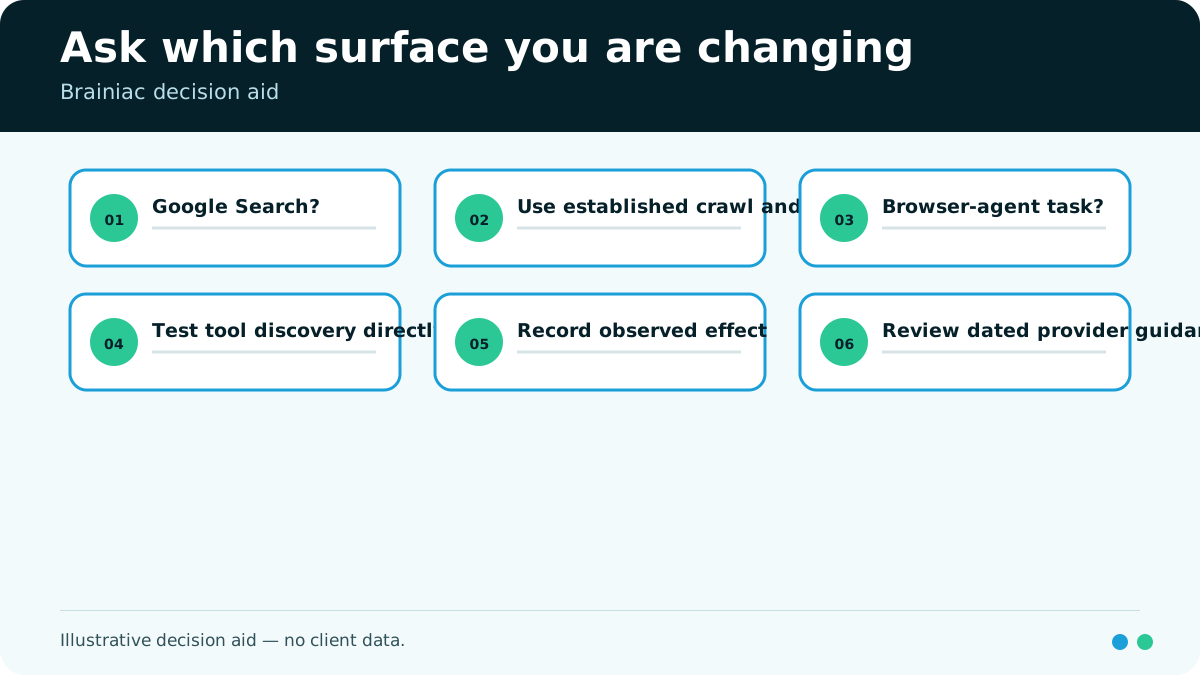
Google’s July 2026 guidance says sites do not need llms.txt, special AI text files, or new machine-readable markup to appear in Google Search or its generative AI features. Google’s systems use the Search index and established crawling, indexing, ranking, and quality systems. Google’s official guide states the boundary directly.
Adding llms.txt therefore should not be sold as a Google ranking tactic or a requirement for AI Overviews or AI Mode.
The work that still matters for Google is familiar:
- Make important pages crawlable and indexable.
- Keep a clear technical structure.
- Publish useful, original, people-first content.
- Maintain internal links and canonical page relationships.
- Use ordinary structured data where it supports eligible Search features.
- Measure Google visibility with Google Search tools.
Google may crawl and index text files as file types. Its guidance notes that this does not give llms.txt special treatment.
Surface two: browser and task agents
A browser agent is trying to understand or act on a site for a user. It may need to find documentation, identify the right product page, locate a support path, or understand how the site is organized.
Chrome’s Lighthouse agentic-browsing documentation calls llms.txt an emerging convention for a machine-readable summary of site content. The audit treats the file as optional: a 404 is marked not applicable, while a server error is flagged. Chrome’s llms.txt documentation recommends a concise Markdown summary and key links at the site root.
That creates a plausible utility: reduce navigation work for agents that choose to request and use the file. It does not establish that every agent uses it or that providing it improves citations.
What the file can and cannot do
| Claim | Verdict in 2026 | Evidence boundary |
|---|---|---|
| Required for Google Search | No | Google says Search does not use it |
| Improves Google rankings | Unsupported | No Google ranking role is documented |
| Required for browser agents | No | Chrome marks it optional |
| Can summarize a site for agents | Plausible and documented as the convention’s purpose | Actual use depends on the agent |
| Replaces robots.txt | No | It is not an access-control file |
| Replaces XML sitemaps | No | It is a curated summary, not a full discovery protocol |
| Guarantees AI citations | No | Availability and citation are different events |
The table is the whole argument. The file may be useful operational documentation for a subset of agents. It is not a search shortcut.
When it is worth a small test
Consider llms.txt when the site has a real agent-facing use case and the team can keep the file accurate. Documentation-heavy products, developer platforms, complex support sites, and sites with stable task paths are stronger candidates than a small brochure site.
The file could include:
- A plain description of the organization and site purpose
- Links grouped by user task
- Canonical documentation and support paths
- API or integration documentation, if public
- Authentication requirements at a high level
- Important limits an agent should not infer
Keep it concise. Do not duplicate the entire site, add keyword blocks, or turn it into a second set of marketing claims. A stale shortcut is worse than no shortcut because it directs the agent toward outdated information.
Treat it as maintained documentation
Assign an owner and update trigger. Review the file when core documentation, navigation, product names, public APIs, or support paths change.
Test basic integrity:
- The file is available at
/llms.txtwith a 200 response. - Links resolve to canonical public pages.
- Descriptions match current page content.
- Restricted or private paths are absent.
- Robots.txt and authentication still enforce access independently.
- The file does not contain claims the site cannot support.
Do not expose internal endpoints, credentials, hidden documentation, or a map of sensitive systems. The file is public.
Measure the surface you intended to change
If the goal is browser-agent usability, test whether named agents fetch the file and whether they complete a defined public task more reliably or with less navigation. Preserve the task, agent, date, trace, and outcome.
If the goal is Google Search visibility, do not use llms.txt as the intervention. Work on the Search eligibility and content factors Google documents, then use the appropriate Search measurement.
If the goal is AI citation visibility, keep crawler access, answer observations, citations, and referrals in separate records. A request for llms.txt would show that a client fetched the file. It would not prove that the file caused an answer or citation.
The practical verdict
Do not add llms.txt because someone called it the new robots.txt. Add it only if you have a specific agent-facing navigation problem, can maintain a useful public summary, and can test that surface.
For most marketing teams, llms.txt belongs below accessible pages, current facts, clear documentation, strong internal linking, and reliable measurement. It is a cheap optional experiment, not a strategy.
Brainiac can help separate technical GEO work by surface so a browser-agent test does not become a Google Search claim. That distinction protects the budget and keeps a small file in proportion to the problem it may solve.