
A Salesforce data dictionary is a living reference that records every object and field in your org, what each one means in business terms, who owns it and where its values come from. Build it business-first, keep field mapping in the same document, and review it every time the org changes. Then reports, integrations and AI agents all work from one set of definitions. We design and run those systems for marketing, sales and finance teams, and we have seen that the dictionary is the layer everything else leans on.
This guide covers what belongs in the dictionary, how to build it, how to document field mapping, and how to keep it current once automation and AI agents start reading your data.
TL;DR
- A data dictionary is the blueprint of your org: objects, fields, data types, sample values, owners, usage, security and notes, per Salesforce’s Trailhead module on data management.
- Start with business definitions (what “qualified lead” means), then add technical detail (API names, types, mappings). Reversing the order documents the implementation but not the business.
- Field mapping belongs in the dictionary: source field, destination field, transformation rule and owner, one row per field.
- Salesforce’s own architecture guidance treats the dictionary as the authoritative source that grounds agentic systems in verified context.
- A dictionary nobody updates is worse than none. Tie updates to change reviews and onboarding.
Table of Contents
- What a Salesforce data dictionary is
- Business definitions first, technical detail second
- Why teams invest in one
- How to build the dictionary, step by step
- Field mapping: the part most dictionaries skip
- Keep the dictionary alive
- Why the dictionary matters more once AI agents arrive
- Our perspective
- How we can help
- FAQ
- Sources
What a Salesforce data dictionary is
Think of the dictionary as a map of your data model rather than a legal ruling on it. It does not change how Salesforce behaves. It tells people, integrations and automations what each piece of data is supposed to mean.
Trailhead describes it as a central repository of your org’s data structure. For each object it captures the fields, data types, sample values, integration details, field usage, data source, field-level security, history tracking, page-layout placement and notes (Salesforce Trailhead).
Two terms are worth pinning down:
- Metadata is data about your data: the object names, field labels, API names and types that make up the structure of your org, as opposed to the records inside it.
- Field mapping is the record of which field in one system feeds which field in another, and what happens to the value on the way.
A dictionary that is only a spreadsheet export of field names has the metadata but not the meaning. The useful version carries both.
Business definitions first, technical detail second
Salesforce Ben’s January 2026 guide recommends a business-first dictionary: every critical object, field and relationship defined in plain business terms, with allowed values, ownership and usage rules, kept alive through onboarding and change reviews.
The reason is practical. Consider the field Status on Lead. A technical entry says it is a picklist with eight values. A business entry says which of those values count as “sales accepted,” who is allowed to set it, and which dashboard depends on it. When marketing and sales disagree about pipeline numbers, the disagreement is almost always in that second layer.
What each entry should hold
| Column | Business layer or technical layer | Example |
|---|---|---|
| Business definition | Business | Contact who has met our scoring threshold and been accepted by sales |
| Data owner | Business | Revenue operations |
| Allowed values and rules | Business | Only sales development can set Accepted; Rejected needs a reason |
| Sensitivity and compliance category | Business | Personal data, subject to privacy requests |
| Object and field label | Technical | Lead, Status |
| API name and data type | Technical | Status, picklist |
| Source system | Technical | Marketing automation sync |
| Downstream use | Technical | Pipeline dashboard, lead routing flow |
| Last reviewed | Governance | Quarter and reviewer |
Salesforce also lets you classify fields with a data owner, usage, sensitivity level and compliance category, so part of this layer can live in the org itself rather than only in a document.
Why teams invest in one
Trailhead lists five benefits: a single source of truth for collaboration, fewer errors and less rework, clearer integration structures, better data quality for reliable reports and dashboards, and a framework for audits that surfaces duplicates, mismatches and incomplete records (Trailhead).
For the teams we work with, three of these matter most:
- Reporting you can defend. A CMO presenting attribution results needs every stakeholder to mean the same thing by “opportunity source.” Without a shared definition, the debate moves from decisions to arguments about the data.
- Faster onboarding. New admins, analysts and agency partners read the dictionary instead of reverse-engineering fields. One Salesforce Ben article lists faster onboarding among its reasons, alongside clearer definitions and faster delivery.
- Safer change. Before someone deletes a field or edits a flow, the dictionary shows what depends on it.
If your CRM has grown for years through acquisitions, form builders and integrations, this is usually where duplicated fields and conflicting definitions have piled up.
How to build the dictionary, step by step
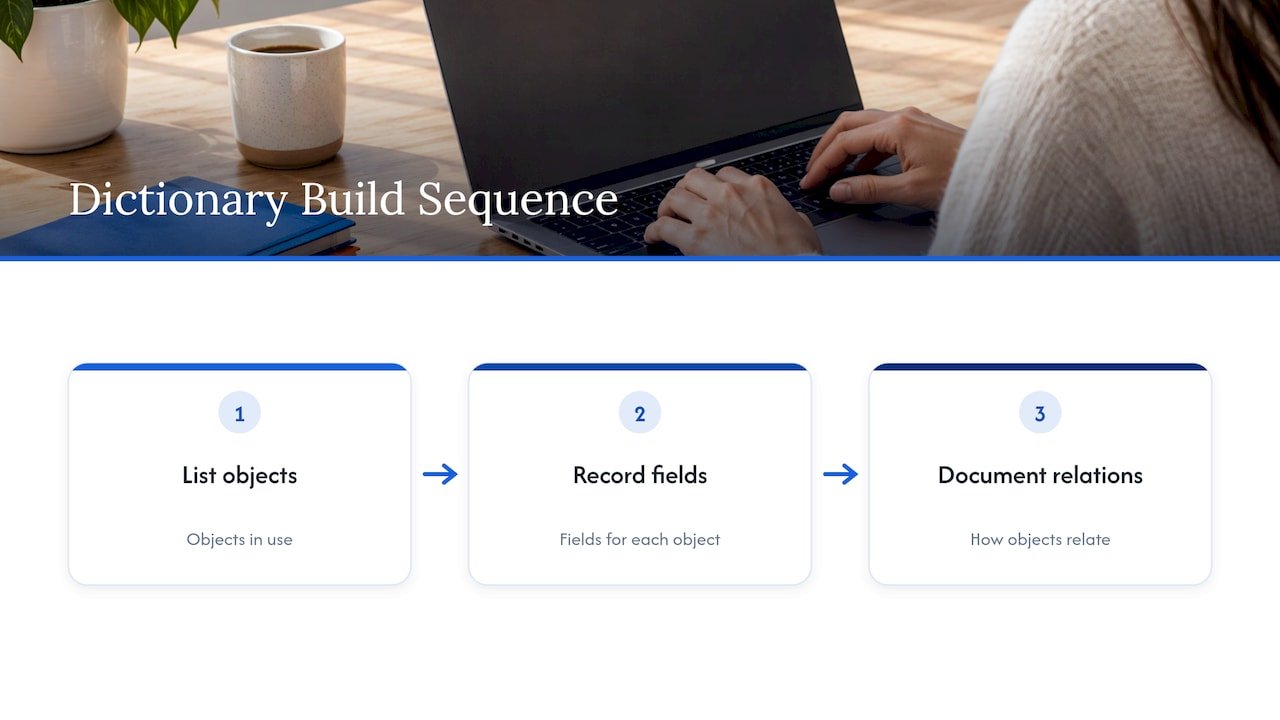
Salesforce’s own documentation advice is simple: list the objects in use, write down each object’s fields, and document how they relate, either by hand or with an AppExchange tool (Salesforce blog). That is the skeleton. The steps below add the parts that make it useful.
Step 1: Scope the objects that drive revenue
Do not document everything at once. Start with the objects your reports and automations touch most: Lead, Contact, Account, Opportunity, Campaign and Campaign Member, plus any custom objects used for subscriptions or orders. A first pass on ten objects beats an unfinished pass on a hundred.
The common failure here is boiling the ocean. Teams export every field, find 400 on Opportunity, and stall. Mark fields as active or unused first, based on whether they appear in a report, flow, page layout or integration.
Step 2: Pull the technical metadata
Extract object names, field labels, API names, types, picklist values, required flags and relationships from your org. This is the part tools and scripts do well, and it is where most dictionaries stop. Treat the export as raw material only.
Step 3: Write the business definitions with the people who use the fields
Sit down with sales operations, marketing operations, finance and analytics. For each priority field, agree on one sentence of definition, the owner and the rule for changing it. Where two teams define a term differently, the dictionary is where you settle it, or at least record both versions under different field names.
A good test for a definition: could a new hire in another department apply it and get the same answer you would?
Step 4: Add usage, sensitivity and source
Record where each field is used (reports, flows, integrations), where its value originates (user entry, web form, enrichment, sync) and how sensitive it is. This is the layer that pays off during audits and privacy requests. If you handle California consumer data, our CCPA data-mapping checklist for marketers shows how the same inventory supports compliance.
Step 5: Assign owners and a review rhythm
Every entry needs a named owner. Every change to the org needs a dictionary update as part of its definition of done. A quarterly review catches drift; a change-review gate prevents it.
Step 6: Publish where people actually look
If the dictionary sits in a folder nobody opens, it will die. Link it from onboarding material, from the admin request form and from the dashboards that depend on it.
Field mapping: the part most dictionaries skip
The related question teams ask is how to document field mapping. Any time data moves between Salesforce and another system, such as a marketing automation platform, a warehouse or an enrichment service, the mapping is part of the data’s meaning. If it is undocumented, the same value can arrive in three formats and nobody knows which is right.
For each mapped field, record:
| Item | What to write |
|---|---|
| Source system and field | Where the value starts, with its API name |
| Destination system and field | Where it lands, with its API name |
| Direction and trigger | One-way or two-way, and what fires the sync |
| Transformation | Formatting, picklist translation, default values, calculations |
| Conflict rule | Which system wins when both change the value |
| Known mismatches | Length limits, type differences, values with no equivalent |
| Owner | Who approves changes |
Mismatches are where integrations break. A free-text country field mapped to a country picklist, or a 255-character text field mapped to a shorter one, fails quietly. Writing the mismatch down turns it into a decision.
Salesforce itself treats mapping as configuration worth modelling. Its Education Cloud developer documentation, for example, describes a FieldMappingConfig object that represents fields mapped between a source object and destination objects and fields. The principle carries over to any integration: the mapping is a first-class artifact, not a footnote.
If you are connecting HubSpot and Salesforce, our guide to a HubSpot and Salesforce integration walks through mapping decisions in practice.
Keep the dictionary alive
A dictionary starts decaying the day it is published. Three habits slow that down:
- Make updates part of delivery. A new field is not finished until it has a definition, owner and source in the dictionary. Our guide to Salesforce Flow practices applies the same discipline to automation.
- Audit against it. Compare the dictionary with the live org each quarter. Fields that exist but are undocumented, and documented fields that no longer exist, are your cleanup list.
- Trace metrics back to fields. When a number on a dashboard is questioned, you should be able to follow it to the field and the source. We cover that in data lineage for marketing.
Why the dictionary matters more once AI agents arrive
An AI agent reading your CRM cannot ask a colleague what “Stage 3” means. It relies on whatever definitions you give it.
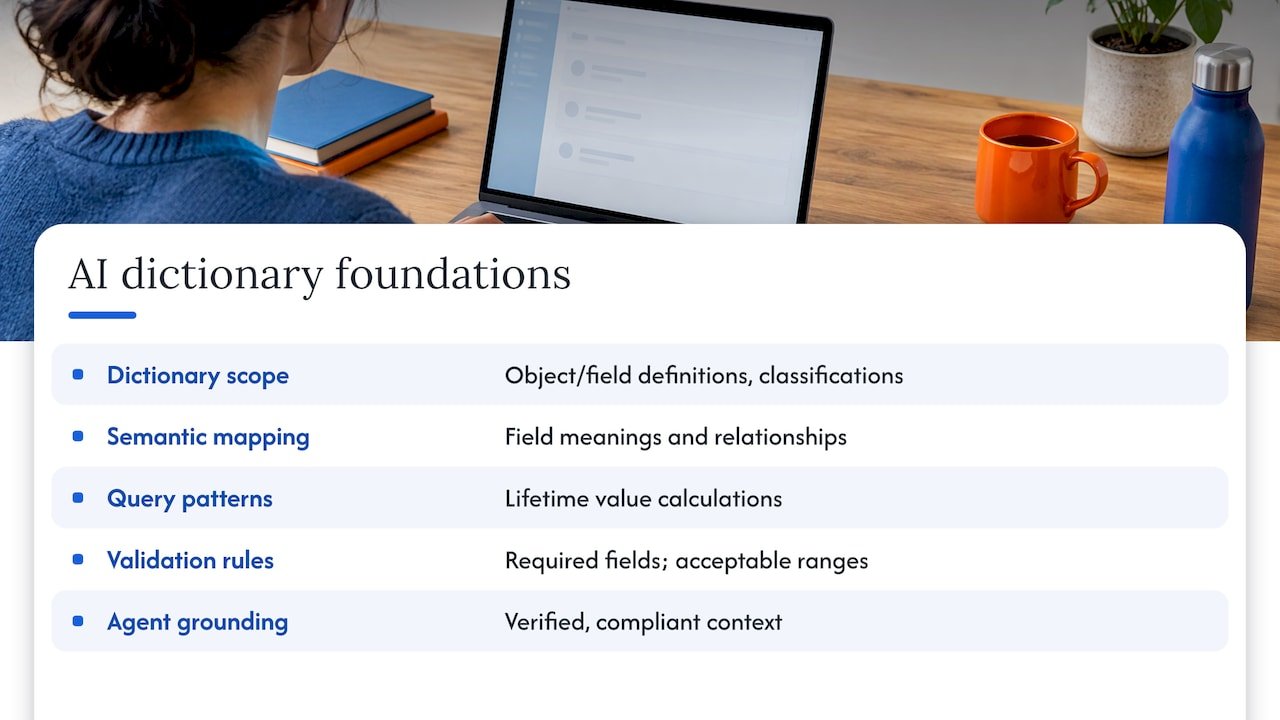
Salesforce’s Well-Architected guidance states that the data dictionary documents object- and field-level definitions and classifications, and that this documentation becomes the authoritative source for retrieval-augmented generation, which grounds agentic systems in verified, compliant context (Salesforce Architects). Retrieval-augmented generation means the AI looks up approved information before answering instead of guessing.
A Salesforce blog on AI-ready data adds that foundations need semantic mapping (descriptions of what fields mean and how they relate), documented query patterns for calculations such as lifetime value, and validation rules like required fields and acceptable ranges (Salesforce blog). Each of those is something a well-kept dictionary already holds. Teams that want to see how verified definitions feed trustworthy analysis can read this overview of using data for insights.
The same logic applies to attribution. Credit rules, source values and campaign hierarchies only produce a credible model when every team reads them the same way. Our view on what marketers get wrong about attribution starts with exactly this point. For a broader look at the buyer’s path and how definitions line up with each stage, see this piece on the B2B buyer journey.
If you are weighing agents for your CRM, our checklist on whether your CRM is ready for AI agents puts the dictionary at the top of the readiness list.
Our perspective
Every engagement we run begins with the same question: what does this field mean, and who agreed to that? Before an agent qualifies a lead or a model credits a channel, the definitions have to be settled.
We build agents, analytics and integrations in the open. Our open-source approach means you can see how the logic works and what it reads, with no black box between your data and your decisions. That only works when the dictionary is there to read against.
Our work with Salesforce, HubSpot and other martech platforms has taught us to treat the dictionary as a working system, not a deliverable. It sits next to the flows, the mappings and the dashboards, and it changes when they change.
Don
How we can help
Brainiac Consulting is the AI and digital-transformation division of the MWH Group. We design and operate AI agents and analytics systems for marketing, sales and finance teams, with integrations across Salesforce, HubSpot, Marketo, Power BI and Tableau. If your dictionary needs to become the foundation for reporting, attribution or agents, our AI Readiness Assessment and strategy services are the place to start, and our Salesforce integration service covers the mapping and build work.
If you already know the agents you want, see custom agent deployment.
FAQ
What is the difference between data and metadata in Salesforce?
Data is the content of your records: a contact’s name, an opportunity amount. Metadata describes the structure that holds it: objects, fields, types, picklist values and relationships. A data dictionary documents the metadata and adds the business meaning.
Who should own the Salesforce data dictionary?
A named business owner, usually in revenue or sales operations, should own the definitions, with admins keeping the technical layer accurate. Each field also gets its own owner, so changes have someone to approve them.
How often should we update it?
Update it whenever the org changes, and review it every quarter. Making a dictionary entry part of the definition of done for any new field or flow keeps it from drifting.
Do we need a tool, or is a spreadsheet enough?
Salesforce’s documentation guidance says you can document objects and fields manually or with an AppExchange tool. A spreadsheet can work for a first pass. As the org grows, automating the technical export and keeping business definitions beside it saves effort.
Sources
- Data Management Best Practices in Salesforce, Trailhead
- 10 Steps to Build a Strong Salesforce Metadata and Data Foundation, Salesforce Ben
- 5 Reasons Why You Need a Salesforce Data Dictionary, Salesforce Ben
- 5 Documentation Strategies to Improve Your Salesforce Org, Salesforce blog
- FieldMappingConfig, Education Cloud Developer Guide
- Start Building a Data Foundation With 3 Essential Steps, Salesforce blog
- How to use data for insights to drive growth in 2026
- B2B Buyer Journey: From AI Answer to Signed Deal