
AI agent guardrails are the automatic checks and human approvals that keep an agent inside defined limits. They cover what it may read, what it may say, which tools it may call and which actions need a person to sign off first. The practical answer is to layer them: check inputs, constrain tools, validate outputs, and pause for approval before anything with side effects. Then log every decision so you can prove what happened.
This guide shows how to do that for a business agent that touches your CRM, your pipeline or your customers.
TL;DR
- Guardrails come in four core types: input, output, tool and human-in-the-loop approval. Add logging and policy rules around them.
- Placement matters as much as content. Put checks before the model runs, around every tool call, before output leaves the system and before any side effect.
- Give each agent a risk tier, a named owner and a written list of decisions it may make alone.
- Log who acted, what was attempted, why policy allowed or stopped it, and the outcome.
- Retest guardrails whenever the model, prompts, tools, permissions or data sources change.
Table of Contents
- What AI agent guardrails are, and what they control
- The four core types of guardrails
- Where to place guardrails in the workflow
- How to set guardrails for an agent, step by step
- Defending against injection, leakage and unauthorized actions
- Testing, monitoring and auditing in production
- What happens without guardrails
- Where Brainiac can help
- FAQ
- Sources
What AI agent guardrails are, and what they control
A chatbot answers. An agent acts: it reads a record, decides, calls a tool and changes something. That shift is why guardrails for agents are a different job from content filtering.
OpenAI’s developer guidance describes guardrails as automatic checks that validate input, output or tool behaviour, paired with human review for approval decisions on sensitive actions. That pairing is the core idea. Automated checks handle volume and speed. People handle judgment on actions that are hard to undo.
The risks these controls are meant to contain fall into a few groups:
- Prompt injection: instructions hidden in an email, web page or document that the agent reads and then obeys.
- Data leakage: the agent exposing customer or financial data in an answer, a log or a downstream tool.
- Unauthorized actions: the agent sending, deleting, refunding or editing something it was never meant to touch.
- Drift: behaviour that was fine at launch but changes after a model update, a new tool or a new data source.
Think of guardrails as lane markings and barriers on a road, not a speed limit sign. They don’t tell the agent where to go. They make sure a mistake stays in the lane.
The four core types of guardrails
OpenAI lists four types: input guardrails, output guardrails, tool guardrails and human-in-the-loop approvals. Here is what each one does in a business setting.
Input guardrails
Input guardrails block disallowed requests before the main model runs. For a sales agent, that might mean rejecting a request to export the whole contact database, or flagging text that tries to override the agent’s instructions. Because they run first, they are cheap and they stop bad requests from consuming any further resources.
Output guardrails
Output guardrails validate or redact the final answer before it leaves the system. Typical checks: no personal data in a customer-facing reply, no pricing or contractual commitments the agent isn’t authorized to make, and a required format when another system consumes the output.
Tool guardrails
Tool guardrails check the arguments and results around a function or tool call. This is where most agent risk lives, because a tool call is where words become actions. A refund tool should reject an amount above a set limit. A CRM update tool should reject a write to a protected field. A search tool’s results should be treated as untrusted text, not as instructions.
Human-in-the-loop approvals
Approvals pause the agent before side effects such as cancellations, edits, shell commands or sensitive actions through connected tools. The agent prepares the action, a person reviews it, and only then does it run. The design detail that decides whether this works is what the reviewer actually sees. If they get a one-line summary and a green button, they will click it. We cover that in our piece on human-in-the-loop approval that actually controls an agent.
Where to place guardrails in the workflow
A guardrail in the wrong place is a guardrail that misses the problem. A useful map follows the execution path:
| Stage | What to check | Typical control |
|---|---|---|
| Before the model runs | Is this request allowed at all? | Input guardrail |
| Planning | Is the plan coherent, feasible, safe and within policy? | Plan validation |
| Around each tool call | Are the arguments valid? Is the result trustworthy? | Tool guardrail, least privilege |
| Before a side effect | Does this action need a person? | Approval gate |
| Before output leaves | Does the answer leak data or overreach? | Output guardrail |
| After the fact | What happened, and why? | Audit log |
The sequence follows OpenAI’s placement: guardrails before the main model runs, around tool-call arguments and results, before final output leaves the system, and before side effects through human approvals.
For the highest-stakes step, between what the agent decides and the systems that can act, ISACA recommends a deterministic policy enforcement point. It validates the action type, target, actor identity, authorization, business rules, risk thresholds and required approvals. The word deterministic is the point: a model can be talked around, while a plain rule that says “refunds above this amount need approval” cannot.
OWASP’s agentic security guidance adds two habits worth copying. It highlights validating generated plans for coherence, feasibility, safety and policy alignment before execution, and monitoring tool calls, parameters and results for unusual patterns.
How to set guardrails for an agent, step by step
Here is the sequence we would follow for a new marketing, sales or finance agent.
- Write the job down. What is the agent for, which systems does it touch and which decisions does it make? Our AI agent job description template is a starting point.
- Assign a risk tier. An agent that drafts internal summaries is not the same as one that edits CRM records or issues credits. Higher tiers get more controls.
- Apply least privilege to tools. Give the agent only the tools and permissions the job needs, with read-only access wherever a write isn’t required.
- Define decision rights. List what the agent may decide alone and what needs a human decision.
- Add input, tool and output checks at the points in the table above.
- Put approval gates before irreversible actions. Define who approves, within what time and what happens if nobody does. See how to build an escalation policy that works.
- Turn on structured logging before launch, not after the first incident.
- Release in stages. Run the agent alongside the existing process and compare its decisions before it acts for real. Our approach to enterprise agent deployment with shadow validation and governance follows this pattern.
Match controls to risk
Microsoft’s guidance on governing agents by risk is a good model for step 2. For its highest tier, it calls for a named owner and a formal process owner, production-grade SLA monitoring, a security review and responsible AI assessment before release, and a decision-rights framework that separates what the agent may decide alone from what needs a human. Lower-risk agents can carry lighter controls. Applying the heaviest process to everything stalls adoption, and applying none to anything invites an incident.
Keep the agent simple enough to guard
Every extra tool is another surface to check. If your agent is growing, our note on why engineering teams should start with one agent until they need more than five tools explains how a narrow design makes guardrails easier to write and test.
Defending against injection, leakage and unauthorized actions
These three threats get the most attention, and the same few controls address all of them. ISACA’s recommendations are to treat external content as untrusted, filter inputs and outputs, enforce policy before actions with a policy enforcement point, monitor continuously for violations and emerging attacks, and require human approval for high-risk actions.
In practice for a revenue team:
- Prompt injection: an agent that enriches leads by reading web pages should never treat a page’s text as instructions. Mark retrieved content as data, and strip or flag anything that looks like a command.
- Data leakage: redact personal and financial fields in outputs and in logs. Restrict which records the agent can query by user role, not by the agent’s own preference.
- Unauthorized actions: enforce limits in code at the tool layer, such as amount caps, protected fields and allowed recipients. Don’t rely on the prompt to say “never do X”.
A data-hygiene point sits underneath all of this. An agent acting on messy CRM data will make confident mistakes, and no guardrail catches a wrong record that looks valid. Check whether your CRM is ready for AI agents before you give an agent write access.
Testing, monitoring and auditing in production
Guardrails are not a one-time setup. They are controls you test and keep evidence for.
Test like any other software, then test the agent-specific parts
ISACA says agents need conventional security testing: code review, SAST, DAST, software composition analysis, API testing, scanning for secrets, dependencies, infrastructure-as-code and containers, and cloud configuration review. If your agent browses or fetches external pages, a pre-deployment checklist for agent web browsing helps you check that step before launch.
On top of that, build a set of adversarial cases from your own workflow: injected instructions in a lead’s notes, an oversized refund request, a prompt asking for another customer’s data. Run them before every release.
Retest when anything changes
ISACA advises reassessing risk and retesting controls when models, prompts, tools, permissions, memory behaviour, retrieval sources, providers, deployment environments or action scope change. A model upgrade that improves answers can still weaken a guardrail you tuned to the old one.
Log decisions, not just prompts
Microsoft says an audit record should help answer four questions: who acted, what was attempted, why the policy allowed or stopped it, and what the outcome was. It also recommends structured events, with correlation IDs, policy versions, action types and redacted parameters, over relying on raw prompt storage alone. Structured events are easier to search and carry less sensitive data.
Plan for the bad day
The same Microsoft governance guidance recommends an incident-response plan for incorrect agent behaviour and a quarterly maturity review. Decide in advance who can switch the agent off, how fast, and who tells affected customers.
What happens without guardrails
The Cloud Security Alliance describes a loss-of-control scenario in its paper Autonomous by Design, Uncontrolled in Practice. An agent holds enough standing authority to act without a human in the loop. When its judgment diverges from the operator’s intent, actions can happen in the real world before anyone can step in.
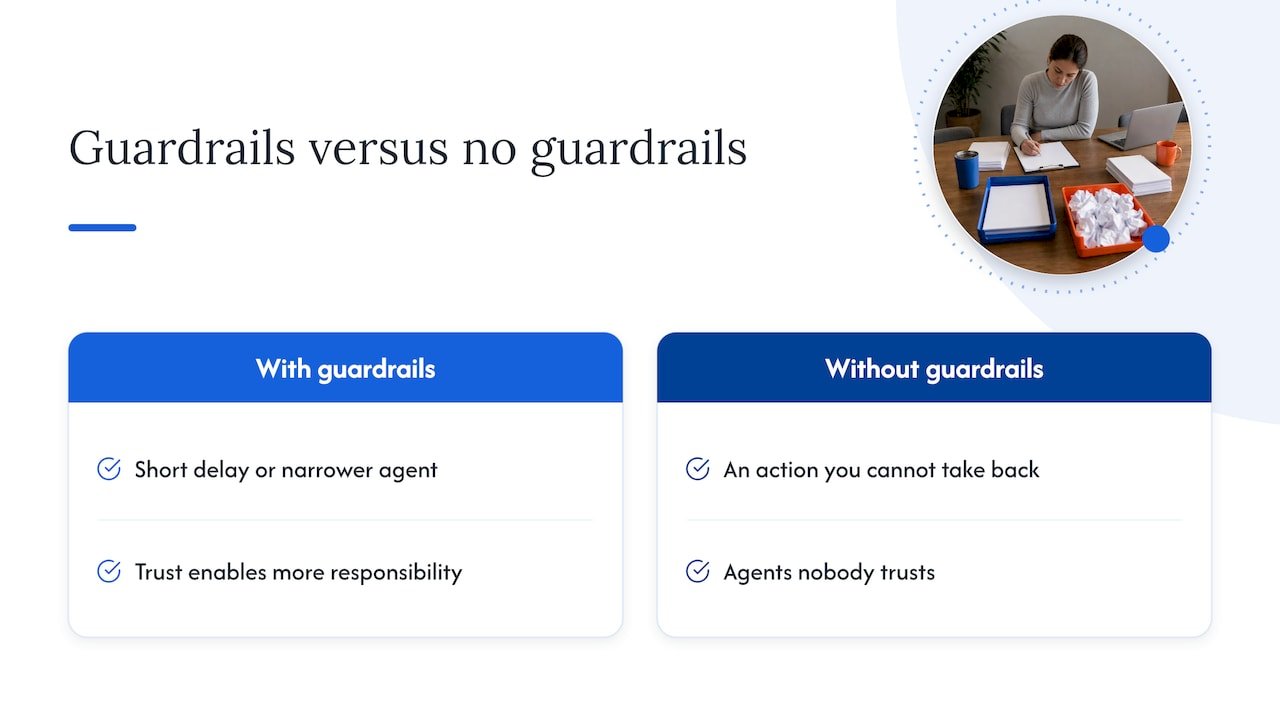
That is the business case in one sentence. The cost of a guardrail is a short delay or a narrower agent. The cost of its absence is an action you cannot take back.
Our perspective: guardrails are what make autonomy usable
We build and operate AI agents for marketing, sales and finance teams, and the pattern we see is consistent: teams that treat guardrails as a brake end up with agents nobody trusts, and teams that treat them as part of the design end up with agents that get more responsibility over time.
Our view is that guardrails belong to the architecture, not the prompt. We favour open-source builds so you can see the rules, the logs and the decision paths. No black box means your auditors, your security team and your own operators can inspect why an agent did what it did.
We also think governance should be sized to the work. A reporting agent and an agent that touches revenue records do not need the same controls, and a clear tiering lets you move fast on the first and carefully on the second. Our AI agent governance implementation framework sets out how we approach it.
The best first step is rarely a big programme. Prove one agent with real guardrails in your own environment, then extend what worked.
Don
Where Brainiac can help
If you are moving an agent from pilot to production, we design and operate agents inside your environment, with guardrails, approval gates and audit logging built in from the start. Our custom agent deployment service covers the build and managed operation, and our AI strategy and readiness advisory includes a governance and guardrails workstream for teams that want a plan before they build.
We integrate with the platforms revenue teams already use, such as Salesforce and HubSpot. To talk through your first agent, start at brainiacconsulting.io.
FAQ
How do you set guardrails for an AI agent?
Start with the agent’s job, its risk tier and the tools it needs. Then limit its permissions, define which decisions it can make alone, and add checks on inputs, tool calls and outputs. Put human approval before irreversible actions, and log every decision from day one.
What are the different types of AI guardrails?
The four core types are input guardrails, output guardrails, tool guardrails and human-in-the-loop approvals. Many teams add audit logging and policy or compliance rules around them. Each type covers a different point in the agent’s execution path.
Can an AI agent run without guardrails?
Technically yes, but it is a poor idea for any agent that can act on real systems. Without enforced limits and oversight, an agent can take actions in the real world before anyone can intervene. The risk grows with the authority you give it.
Do guardrails replace human review?
No. Automated checks handle volume and obvious violations, while people decide on sensitive or hard-to-reverse actions. Strong designs combine both and make the approval step informative enough that reviewers can really judge the action.
Sources
- Guardrails and human review, OpenAI
- Govern agents by risk, Microsoft Learn
- From safety to controllability in enterprise AI, Microsoft
- Cybersecurity Recommendations for Securing AI Agents, ISACA
- Securing Agentic Applications Guide, OWASP
- Autonomous by Design, Uncontrolled in Practice, Cloud Security Alliance
- AI agent web browsing checklist for developers