
Salesforce marketing analytics is not one product. It is a set of tools that pull campaign, advertising and CRM data into a single model, then show it through dashboards, attribution and AI-assisted insight. The core of it today is Marketing Intelligence, supported by the Marketing Performance App in Marketing Cloud Next and the wider Salesforce Platform. This guide explains what each piece does, which dashboards and KPIs to build first, how current the numbers are, and where the work usually gets stuck.
TL;DR
- Marketing Intelligence unifies paid media, CRM and analytics data, then serves it through prebuilt, customizable Tableau Next dashboards.
- Standard Salesforce reports show CRM records. Marketing analytics adds cross-channel spend, engagement and attribution on top of them.
- Dashboard freshness depends on the refresh mechanism: scheduled snapshots, batch pipelines or near-real-time streaming each behave differently.
- Attribution and agentic AI features depend on Data Cloud harmonizing identity and events first. Data readiness comes before any AI layer.
- We design and operate these systems for marketing, sales and finance teams, so you get dashboards your team trusts.
Table of Contents
- What Salesforce marketing analytics includes
- How Salesforce combines marketing, CRM, advertising and engagement data
- What Salesforce marketing dashboards can show
- Setting up and automating dashboards and reporting
- How current is the data?
- Attribution: revenue by campaign
- AI features: what they add and what they need
- Our perspective
- Work with us on your Salesforce analytics
- FAQ
- Sources
What Salesforce marketing analytics includes
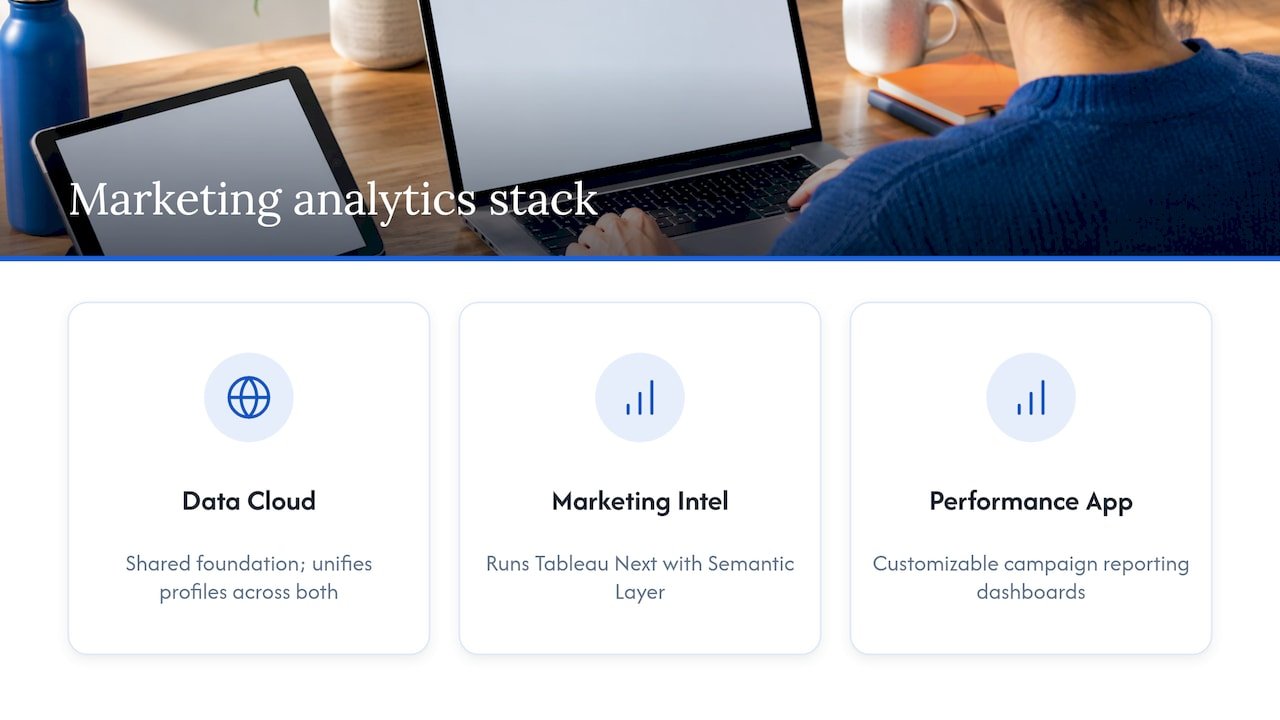
Think of the stack as three layers: a data layer, a modelling layer and a presentation layer.
Marketing Intelligence is the centrepiece. According to Salesforce Trailhead, it brings together data from media platforms, CRM systems and analytics tools. It is built on the Salesforce Platform, works alongside clouds such as Sales Cloud, and runs on Tableau Next using the Tableau Semantic Layer.
The Marketing Performance App in Marketing Cloud Next covers the engagement side. Trailhead describes it as embedded campaign reporting with customizable dashboards for marketing insights, trends and ROI, plus cross-channel email deliverability, business unit filtering and flow performance analytics.
Data Cloud sits underneath both. It ingests, harmonizes and unifies profiles so that a click, a lead and an opportunity can be tied to the same person or account.
How it differs from standard Salesforce reporting
Standard reports and dashboards answer questions about records you already hold: leads created, opportunities won, pipeline by stage. They are excellent for that. They do not, on their own, know what you spent on a paid social campaign or which ad set drove a form fill.
Marketing analytics closes that gap. It adds ad platform spend and performance, harmonizes naming and metrics across channels, and links engagement to conversion and CRM outcomes. The question moves from “how many leads did we get?” to “which campaigns produced revenue, and at what cost?”
| Capability | Standard Salesforce reports and dashboards | Marketing analytics (Marketing Intelligence and related tools) |
|---|---|---|
| Main data | CRM objects such as leads, contacts, opportunities | Paid media, owned channels, web analytics and CRM together |
| Typical question | What is in my pipeline? | Which channel and campaign created that pipeline? |
| Cross-channel spend | Not native | Core use case |
| Attribution | Basic campaign influence | Single-touch and multi-touch models |
| Data modelling | Manual report types and filters | Pre-built data model and semantic layer |
How Salesforce combines marketing, CRM, advertising and engagement data
The hard part of marketing analytics is not charting. It is getting twenty differently shaped data sources to agree with each other.
Salesforce’s approach has three parts.
- Connectors. Marketing Intelligence offers 170+ pre-built API connectors for paid channels including Google, Meta and LinkedIn, plus a connector for flat-file sources.
- A pre-built data model. The same page says the Marketing Intelligence Data Model is powered by Tableau Semantics to automatically transform, map and model paid and owned data, which cuts hours of manual work.
- A unifying platform. Salesforce’s engineering team explains that Marketing Intelligence uses Data Cloud for ingestion and transformation, Agentforce for automation, Tableau for analytics and the core platform for orchestration and trust.
Salesforce Ben’s Timo Kovala notes that this gives a 360-degree view of campaigns, from social ads and search to targeted emails and events, with end-to-end attribution as a key selling point.
The practical lesson: the connectors are the easy part. Naming conventions, UTM discipline, currency handling and a shared definition of “qualified lead” decide whether the unified view is believable. If you plan to pull in many paid and owned channels, a clear view of the metrics behind cross-channel analytics helps you decide which integrations earn their place first.
What Salesforce marketing dashboards can show
Salesforce says the prebuilt Tableau Next dashboards in Marketing Intelligence come to life as soon as data is connected, stay fully customizable and include Goals, which let users set KPIs, track progress and predict outcomes before issues arise.
A useful dashboard set is small. We usually start with four views and add only when someone asks a question the existing views cannot answer.
Four dashboards worth building first
- Channel performance. Spend, impressions, clicks and cost per click by channel and campaign, normalized so a Google metric and a LinkedIn metric mean the same thing.
- Funnel and lead quality. Leads by source, conversion from lead to marketing-qualified to sales-accepted to opportunity, and speed between stages.
- Pipeline and revenue contribution. Sourced and influenced pipeline by campaign, with closed-won revenue where the data is trustworthy.
- Email and journey health. Deliverability, engagement and flow performance, the area the Marketing Performance App covers directly.
KPIs that connect marketing to sales
| KPI | What it tells you | Who uses it |
|---|---|---|
| Cost per qualified lead | Efficiency of spend against lead quality, not volume | Demand generation, finance |
| Lead-to-opportunity rate by source | Which channels send leads sales actually works | Marketing and sales leaders |
| Pipeline velocity | How quickly leads move through stages | Revenue operations |
| Sourced vs influenced pipeline | Credit for creating versus accelerating deals | CMO, board reporting |
| Return on ad spend or marketing ROI | Revenue relative to spend, by channel | CMO, finance |
The best KPI list is the one both marketing and sales have signed off on. If sales does not accept the definition of a qualified lead, the dashboard will be argued with rather than used. Our sales pipeline analytics playbook walks through three metrics that tend to predict revenue.
Setting up and automating dashboards and reporting
Setup used to mean weeks of data engineering per source. Salesforce says its Data Pipelines feature automates provisioning of the Data Cloud components for each source, including data streams, transformations, data lake objects and semantic mappings, reducing setup from days or weeks to about five minutes.
That speeds the plumbing. It does not remove the decisions around it. A sensible sequence looks like this:
- Agree the questions. Write down the five decisions the dashboards must support, such as where to move budget next quarter.
- Inventory sources. List ad platforms, web analytics, marketing automation, CRM and any spreadsheets that currently hold truth.
- Fix identifiers. Standardize UTMs, campaign naming and account matching before connecting anything.
- Connect and validate. Bring in one or two sources, reconcile the totals against the platform’s own numbers, then add more.
- Define metrics once. Put definitions in the semantic layer, not in individual charts.
- Automate distribution. Schedule dashboards and alerts so reporting stops being a monthly manual exercise.
If manual reporting is your main pain, our three-phase marketing reporting automation plan covers how to automate without locking yourself into a single vendor. Teams running Marketo alongside Salesforce can also look at our Salesforce Marketing Cloud integration service.
How current is the data?
This is the question that surprises people most. “Dashboard” does not mean “real time.” Freshness depends on which mechanism sits behind each number.
- Native dashboards refresh on a daily, weekly or monthly schedule, or manually. Salesforce Help notes a Last Refreshed indicator shows when the dashboard was last updated, and in Experience Cloud sites users are notified if it has not refreshed in 24 hours.
- Data Cloud CRM ingestion is faster. Trailhead on data lags describes roughly three-minute latency when change data capture is supported, and around ten-minute batch checks otherwise. It also notes that Data Graphs in Marketing Cloud Next refresh on schedules from every 30 minutes to monthly, so the latest data is not always available at message delivery.
- Calculated and Streaming Insights serve different jobs. Salesforce Ben explains that Streaming Insights work on real-time engagement signals with latency of seconds to minutes, but cannot join Unified Profiles and always use a defined time window, so lifetime metrics are not possible.
The design rule that follows: give each engine one responsibility. Use batch for board-level trend reporting, where a day of delay costs nothing. Use streaming only for triggers and alerts, such as a spike in bounce rate or a high-intent visit that sales should see now. Paying for real-time on a monthly review dashboard is wasted effort.
When you present a dashboard, show its refresh time on the page. Nothing erodes trust faster than two people seeing different numbers without knowing why.
Attribution: revenue by campaign
Attribution is where marketing analytics earns its budget, and where expectations need the most care. We like to describe attribution as a map rather than a courtroom verdict: it shows the terrain of influence, and it will not deliver a single guilty channel.
Salesforce supports two broad approaches:
- Single-touch attribution, first or last touch, which Trailhead describes as a way to identify which campaigns contribute most to key conversions by linking engagement with conversion events and CRM outcomes.
- Multi-touch attribution, which Salesforce says comes with out-of-the-box path exploration, funnels and several attribution models across ads, email, social and web.
Which model to choose depends on your sales cycle. Short, high-volume ecommerce journeys often work well with simpler models. Long B2B cycles with buying committees usually need multi-touch and account-level views. We cover that decision in how to choose and configure campaign influence models and in our guide to crediting revenue to accounts.
For ecommerce teams, the same data foundation shows revenue drivers and leakage: which acquisition channels bring repeat buyers, where discounts erode margin and which campaigns attract orders that are later refunded. Those answers require order data joined to campaign data, which is exactly the harmonization step described above.
AI features: what they add and what they need
Salesforce Marketing Cloud Next includes generative and predictive AI that can draft campaign briefs, campaigns and components, with business and customer data protected by the Einstein Trust Layer. Salesforce says that layer provides zero LLM data retention, PII masking and tokenization, and a full audit trail of AI actions.
The capability is real, and so is its dependency. Commentary on agentic attribution points out that Agentforce does not do attribution on raw CRM data out of the box: Data Cloud has to harmonize identity and events first. Without that unification, you get familiar analytics with a new interface rather than genuinely agentic insight.
That is good news for teams that do the groundwork. A first-party data strategy is the practical prerequisite: consented, well-identified data that your systems can join. Privacy rules matter here too; our CCPA checklist for marketers shows how to map martech data before you automate on top of it.
Our perspective
Most teams we meet do not have an analytics shortage. They have a trust shortage. Five dashboards, three definitions of a lead, and a monthly meeting spent reconciling spreadsheets.
Our view is that the platform matters less than the operating model around it. Salesforce gives you strong building blocks: connectors, a semantic layer, attribution and AI. Value appears when someone owns the definitions, validates the numbers against source systems and automates the reporting that people currently rebuild by hand.
That is why we build in the open. Our open-source methodology is designed to give you full visibility into how every metric and agent works, with no black box between your data and your decisions. We integrate with Salesforce, Marketo, Power BI, Tableau and other platforms you already run, so you keep flexibility as your stack changes.
Start small: one agreed KPI set, one validated pipeline, one automated report. Then let agents take over the enrichment, hygiene and insight work that slows your team down.
Don
Work with us on your Salesforce analytics
If you want dashboards and attribution that marketing, sales and finance all accept, we can help. Brainiac Consulting designs, builds and operates AI agents and analytics systems for go-to-market teams, including AI-enabled analytics, revenue attribution and martech implementations that connect to Salesforce.
For reporting and campaign operations, see our marketing operations optimization and support. If you are earlier in the journey, our AI readiness assessment and roadmap work shows where your data stands before you invest in more tooling. You can also explore everything we offer on our main site, or review our case studies.
FAQ
Is Salesforce marketing analytics the same as Marketing Cloud reporting?
Not quite. Marketing Cloud reporting, including the Marketing Performance App in Marketing Cloud Next, focuses on campaign and engagement results such as email and flows. Marketing Intelligence goes wider, combining paid media, CRM and analytics data for cross-channel analysis and attribution.
Can Salesforce marketing dashboards show real-time data?
Some of it. Native dashboards show cached snapshots from the last scheduled or manual refresh, while Data Cloud ingestion can run in minutes and Streaming Insights in seconds to minutes. Most marketing reporting is fine on batch refresh, so reserve streaming for alerts and triggers.
Do I need Data Cloud to get marketing attribution?
For Marketing Intelligence and for agentic attribution, yes: Data Cloud is the layer that ingests, harmonizes and unifies the data. Salesforce describes Marketing Intelligence as using it for ingestion and transformation, and agent-based attribution depends on identity and events being harmonized first.
Which attribution model should I start with?
Start with the simplest model your sales cycle can support, then add multi-touch once your data is clean. Short ecommerce journeys often suit first or last touch, while longer B2B cycles benefit from multi-touch and account-level views.
Can a small business use Salesforce analytics without a large data team?
Yes, provided the scope is narrow. Pre-built connectors and dashboards reduce the engineering, and a partner can own definitions, validation and automation. Begin with one KPI set and one or two sources rather than every channel at once.
Sources
- Set Up Marketing Intelligence for Data-Driven Decisions (Salesforce Trailhead)
- Digital Marketing Analytics Tools (Salesforce)
- Learn to Navigate Setup, Reporting, and Compliance in Marketing Cloud Next (Trailhead)
- How a New AI Architecture Processes 100 Million Rows in 5 Minutes (Salesforce Engineering)
- Marketing Intelligence: The New Agentforce-Powered Analytics Tool (Salesforce Ben)
- Refresh Dashboard Data (Salesforce Help)
- Understanding Data Ingestion Lags for Marketing Campaigns (Trailhead)
- Calculated vs. Streaming Insights in Data Cloud (Salesforce Ben)
- Enable AI Features in Marketing Cloud Next (Salesforce Help)
- Trust Shouldn’t Be a Product Feature (Salesforce Blog)
- Agentic Attribution: Salesforce, HubSpot & Zoho Guide (Influencers Time)