
UTM governance is the practice of enforcing a single, controlled naming taxonomy and a single owner so campaign data stays clean across every channel and agency. Consistent naming matters because even one capitalized letter or missing parameter can split a campaign into duplicate rows. The first move is simple: stop building tags in spreadsheets and switch to a controlled builder with locked dropdown values.
TL;DR:
- GA4 treats capitalization literally, missing parameters can create “(not set)” rows, and changes to campaign values or gclid can trigger new sessions.
- Reserve no more than 10 to 12 approved utm_medium values, while allowing teams more freedom with utm_content and utm_term for creative detail.
- Agencies need dropdown access in brand workspaces, while contracts should keep link history and account ownership with the brand after engagements end.
- Check GA4 within 24 to 48 hours after launch, then audit live links quarterly and log each deviation with an owner and remediation date.
- Add internal campaign IDs to utm_id to join ad platform, CRM, and analytics records, even when campaign names differ across systems.
Table of Contents
- UTM fundamentals and GA4 behaviour that make governance necessary
- Naming conventions: a practical standard to adopt and examples
- Governance model and ownership: roles, approvals and lifecycle
- Governing agency tagging: contract, workspace, and operational controls
- Tools and enforcement: builders, dropdowns, automation and platform caveats
- Implementation patterns and reusable templates for scale
- Testing and QA checklist to keep UTM data reliable
- How Brainiac Consulting applies UTM governance in live client engagements
- Integration of UTM governance with broader data privacy and compliance policies
- Training and enablement programs for teams on UTM best practices
- Monitoring and reporting frameworks for detecting and correcting UTM misuse or anomalies
- Processes for auditing and continuously improving UTM governance
- Role-based access controls and permissions in UTM management systems
- Practitioner perspective: when to centralise vs federate naming
- How Brainiac can help: pilot, governance framework, and managed support
- FAQ
- Sources
UTM fundamentals and GA4 behaviour that make governance necessary
A UTM parameter is a tag appended to a URL that tells your analytics platform where a visit came from. Five parameters do the heavy lifting: utm_source (the platform, like “linkedin”), utm_medium (the channel type, like “paid-social”), utm_campaign (the specific initiative), utm_content, and utm_term. Each one maps directly into a report dimension, so a typo doesn’t just look sloppy, it creates an entirely separate row in your reporting.
Google’s own documentation confirms that UTM values are case-sensitive, and that missing parameters can produce “(not set)” rows in your reports. “Summer-Sale” and “summer-sale” are two different campaigns as far as Analytics is concerned, even though a human reads them as identical. That single inconsistency is often the root cause of a reporting dashboard that never reconciles with what your campaign calendar says you ran.
Here’s what governs how these values behave once they’re live:
- Case sensitivity: Analytics treats every character literally, so “Email” and “email” fragment into two separate sources.
- Auto-tagging precedence: when Google Ads auto-tagging (via
gclid) and manual UTM tagging are both present, auto-tagged values typically take precedence for source and medium. - Session triggers: a change in campaign parameters, including
utm_source,utm_medium,utm_campaign, orgclid, can trigger a new session in Analytics. - Incomplete tagging: setting only one or two parameters while skipping the rest leads Analytics to deduce or simply drop campaign-level detail.
Missing UTM parameters can produce “(not set)” values in GA4 reporting, which quietly erodes the reliability of every rollup built on top of that data, from channel-level spend comparisons to pipeline attribution. The practical consequence is that teams relying on manual tagging without a shared standard end up with split rows for the same campaign, broken funnel comparisons, and a growing pile of “(not set)” traffic that nobody can explain months later.
Naming conventions: a practical standard to adopt and examples
A naming convention only works if it’s simple enough that a marketer under deadline pressure will actually follow it. We’ve found the most durable standards share three formatting rules, a compact date pattern, and a short, centrally controlled vocabulary for source and medium.
Start with formatting:
- Use lowercase for every value, no exceptions, since Analytics reads case literally.
- Separate words with hyphens, never underscores or spaces, to keep URLs clean and readable.
- Avoid special characters, accents, and punctuation that can break URL encoding or get stripped by platforms.
Dates belong in the campaign name, but a full four-digit year is rarely necessary unless campaigns repeat annually and need multi-year comparison. A compact format like 0626 for June 2026, or q2-26 for a quarterly push, keeps names short without losing the information you need for filtering. Compare summer-sale-2026-06-01-launch-promo with summer-sale-0626-launch. The second one is just as traceable and far easier to scan in a report.
utm_medium deserves special treatment because it feeds directly into default channel groupings in Analytics. If one team tags paid social as “paid-social” and another uses “social-paid” or “cpc-social”, your channel rollups fracture permanently. We recommend a reserved, centrally owned vocabulary of no more than 10 to 12 medium values (email, paid-social, organic-social, cpc, affiliate, referral, display, partner) and treat any deviation as an error to catch, not a stylistic choice.
utm_source can have more flexibility since it typically maps to a specific platform, but it still benefits from a short reference list so “fb”, “facebook”, and “meta” don’t all show up as different sources for the same channel.
Here are patterns worth copying directly:
Email: utm_source=newsletter&utm_medium=email&utm_campaign=q2-26-product-update&utm_content=cta-top
Paid social: utm_source=linkedin&utm_medium=paid-social&utm_campaign=0626-webinar-launch&utm_content=carousel-v1
Affiliate: utm_source=partner-name&utm_medium=affiliate&utm_campaign=0626-referral-push&utm_content=banner-300x250
Each pattern keeps utm_medium locked to the approved vocabulary while giving utm_content and utm_campaign enough room to describe the specific creative or initiative without threatening the rollup.
Pro Tip: Keep your naming cheat sheet to one page. A convention nobody reads is a convention nobody follows.
Governance model and ownership: roles, approvals and lifecycle
Naming rules without an owner decay within a quarter. Someone has to hold the taxonomy, approve exceptions, and catch drift before it reaches a dashboard.
- Assign one taxonomy owner, usually a marketing operations lead or a central analytics function, responsible for maintaining the approved vocabulary and the builder configuration.
- Require every new campaign link to pass through a prelaunch validation step where required fields (source, medium, campaign, content) are checked against the approved list before the link goes live.
- Record who created each link, including agency and contractor-generated tags, so a malformed tag can be traced to its source rather than debated after the fact.
- Retain link history inside brand-owned systems, not a vendor’s personal account, so nothing disappears when an agency relationship ends.
- Run a quarterly audit against live campaign data to catch drift between what the taxonomy specifies and what actually shipped.
The owner’s responsibilities extend beyond approvals. They maintain the medium vocabulary, communicate updates when the taxonomy changes, and act as the point of escalation when a channel team wants an exception.
A few operational habits keep this lightweight rather than bureaucratic:
- Override requests go through the taxonomy owner, never around them, even when a campaign is time-sensitive.
- Audit findings get logged with a remediation date, not just flagged and forgotten.
- Agencies and contractors get read access to the approved vocabulary, never edit access to the master list.
Quarterly audits are where most governance programs either prove their worth or quietly fail. Pulling a sample of live campaign URLs and checking them against the taxonomy takes an afternoon. Skipping it for two quarters in a row almost always means rebuilding the taxonomy from scratch later, with months of unreliable data sitting in between.
Governing agency tagging: contract, workspace, and operational controls
Agencies create a disproportionate share of tagging errors, not from carelessness but because they’re managing multiple clients with different conventions. The fix isn’t more documentation, it’s contractual language paired with operational guardrails that make the correct tag the only easy option.
Your contract or statement of work should require compliance with your published taxonomy and specify that link history and account ownership remain with the brand, not the agency, for the duration of the engagement and after it ends. That single clause avoids the scramble that happens when an agency departs and takes its link-shortener account with it.
Operationally, a few controls do most of the work:
- Give agencies access to a brand-controlled workspace in your URL builder, scoped to limited dropdown values rather than free-text fields.
- Require prelaunch approval on any new campaign link before it goes live in paid media.
- Tag each link with creator metadata so a malformed tag traces back to the specific agency or team member who built it.
- Review agency-created links against the taxonomy during the same quarterly audit used for internal teams.
If you work with multiple agencies, phase the rollout rather than enforcing everything at once. Start with whichever agency generates the highest tagging volume, since that’s where inconsistency does the most damage fastest, prove the workflow works, then extend it to the rest.
Tools and enforcement: builders, dropdowns, automation and platform caveats
A naming policy that lives in a document gets read once and forgotten. A builder that only lets someone pick from approved dropdown values prevents the error at the point of creation, which is far more effective than catching it in an audit three months later.
- Replace spreadsheet-based tagging with a dedicated URL builder that enforces your medium and source vocabulary through dropdowns, not free text.
- Manage short links through shared, brand-owned accounts so click history and metadata stay accessible regardless of staffing changes.
- Use dynamic platform tokens (like a platform’s built-in campaign-name variable) only when the resulting values still resolve into your approved taxonomy, since unresolved tokens show up as literal text in reports.
- Combine auto-tagging and manual UTMs carefully: when both are present, auto-tagged values generally win for source and medium, so test that your platform integrations are properly linked rather than assuming manual tags will override them.
Google Tag Manager’s configuration variable reuse can also override UTM values when campaign fields are set at the tag level, which is worth checking if your reported campaign names don’t match what’s in the URL.
Pro Tip: Test one link end to end, from the builder through the short link to the live landing page, before rolling a new campaign template out to the whole team.
Implementation patterns and reusable templates for scale
Templates turn a one-page naming standard into something a channel owner can use without thinking twice.
- Build a locked template for email that pre-fills
utm_medium=emailand leaves only campaign name and content open for editing. - Build a paid social template per platform that locks
utm_sourceandutm_mediumwhile exposingutm_campaignandutm_content. - Build a partnership template that locks
utm_medium=affiliateorutm_medium=partnerand standardizes how partner names appear inutm_source.
utm_id is worth adopting even if your team hasn’t used it before. Mapping your internal campaign ID into utm_id gives you a reliable join key between your ad platform, your CRM, and your analytics exports, independent of whether someone typed the campaign name slightly differently in each system.
- New teams or channels start with a 30-minute walkthrough of the approved vocabulary and the builder before they’re given access.
- New hires complete one supervised tag build before working independently.
- The taxonomy document gets a version number and a changelog entry every time a medium or source value is added or retired.
- Published changes go out through the same channel every time, so nobody is working from an outdated copy.
Publishing the taxonomy with version numbers matters more than it sounds. A team working from a six-month-old copy of your naming standard will confidently build tags that no longer match current policy, and nobody finds out until the audit.
Testing and QA checklist to keep UTM data reliable
A short checklist run before and after launch catches most tagging errors before they reach a dashboard.
- Before launch, confirm every required parameter is set, every value is lowercase, and any dynamic token resolves to real text rather than showing as a placeholder.
- Click the finished link through any redirect or short-link layer to confirm it lands on the correct page with parameters intact.
- After launch, check GA4 Traffic acquisition reports within 24 to 48 hours to confirm the campaign appears as expected, not as “(not set)” or split across multiple rows.
- Sample a handful of real clicks weekly during the first month of a new campaign template to catch drift early.
- Run the full taxonomy audit quarterly, and log every deviation with an owner and a fix date.
Pro Tip: If a campaign shows up as “(not set)” in GA4 within the first day, check for a missing parameter first. It’s the most common cause.
How Brainiac Consulting applies UTM governance in live client engagements
We build UTM governance starting with one channel to prove the workflow before expanding. Our approach centres on a single taxonomy owner, enforced builder dropdowns instead of free-text tagging, and a direct mapping from campaign parameters into analytics and CRM systems.
- We scope a pilot channel before touching the rest of the taxonomy.
- We measure the pilot against live reporting to confirm “(not set)” rows and duplicate campaigns drop before expanding further.
- Our governance implementation framework and tracking-plan audit work extend the same enforcement-first logic to broader marketing operations.
Integration of UTM governance with broader data privacy and compliance policies
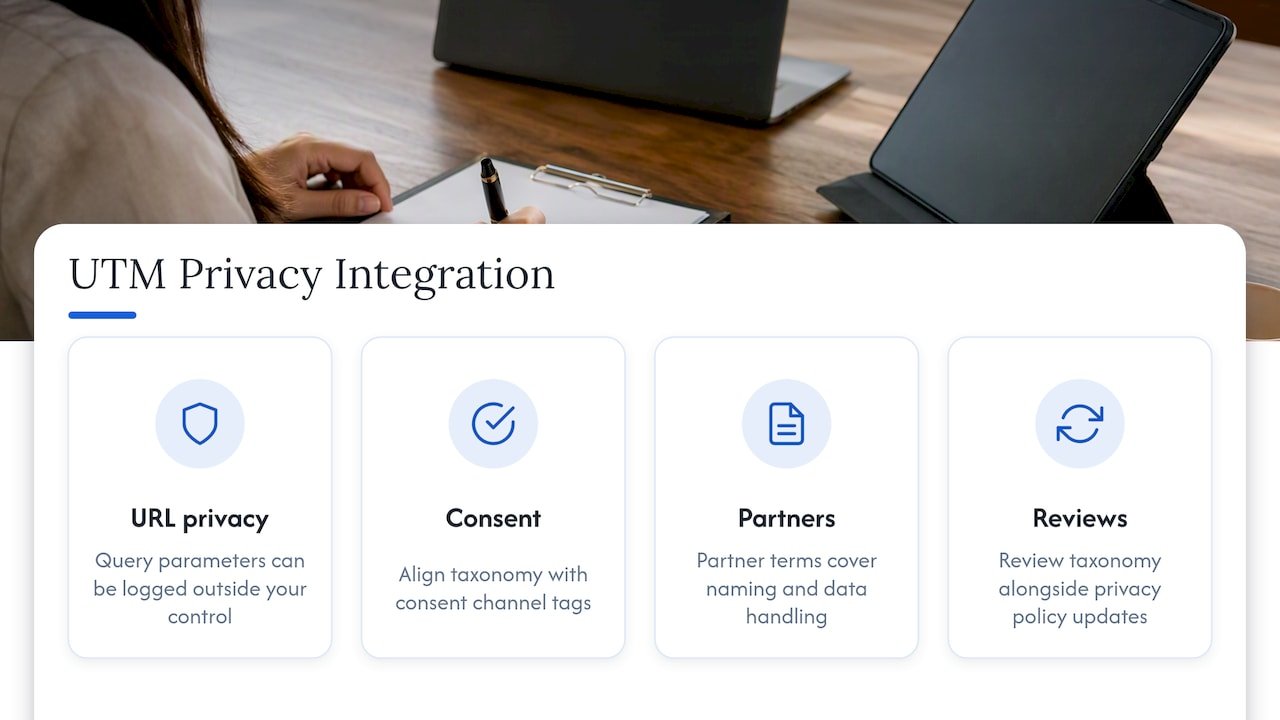
UTM parameters themselves don’t carry personal data, but the links they’re attached to often flow into systems that do, including CRM records, ad platform audiences, and consent management tools. Governance for naming conventions and governance for privacy compliance need to live in the same conversation, not two separate ones.
A few integration points matter most. First, confirm that UTM-tagged links used in paid retargeting or email don’t inadvertently pass identifiable information in the URL itself, since query parameters can end up logged in places outside your control. Second, align your campaign naming taxonomy with how your consent management platform tags marketing channels, so a user’s opt-out preferences apply consistently regardless of which UTM-tagged entry point they arrived through.
Third, when agencies or partners build tagged links on your behalf, the same contractual language that governs naming compliance should reference your data handling requirements, so link creation and data handling aren’t treated as separate obligations with separate owners. Finally, keep your UTM taxonomy documentation in the same review cycle as your broader privacy policy updates. A medium or source value that implies a specific audience segment, for instance, should be reviewed the same way any other data classification would be before it’s published.
Treating naming governance and privacy governance as one connected system, rather than two independent checklists, avoids the gap where a technically compliant privacy policy sits next to a tagging practice that quietly works around it.
Training and enablement programs for teams on UTM best practices
A taxonomy only works if the people building links actually understand it, which means enablement needs to go beyond handing someone a document on their first day.
A short, recurring training format works better than a one-time onboarding session. We’ve found a 30-minute live walkthrough of the builder, paired with one supervised link build, gets a new team member comfortable faster than reading a policy page alone. Refresh that training whenever the taxonomy version changes, not just for new hires, since existing team members are the ones most likely to be working from outdated habits.
Make the one-page naming cheat sheet the primary reference material, not a lengthy policy document. Pair it with a short recorded walkthrough of the builder that new hires and agency partners can watch on their own schedule. Build a simple internal FAQ from the actual mistakes your quarterly audits catch, since those are the errors most likely to repeat.
Treat enablement as ongoing rather than a single event:
- Schedule a refresher session every time the taxonomy version changes.
- Share quarterly audit findings with the teams responsible, framed as specific fixes rather than general reminders.
- Give agency partners the same training materials you give internal teams, not a simplified version.
Enablement that’s tied to real audit findings tends to stick better than generic best-practice guidance, because it shows people the actual cost of a skipped field.
Monitoring and reporting frameworks for detecting and correcting UTM misuse or anomalies
Catching tagging errors after they’ve already shaped a quarterly report is far more expensive than catching them the week they happen. A monitoring routine sits between the prelaunch checklist and the quarterly audit, filling the gap where drift usually goes unnoticed.
Build a standing report, reviewed weekly during active campaign periods, that flags new “(not set)” entries, unexpected medium values outside your approved vocabulary, and campaigns with unusually low session counts that might indicate a broken redirect rather than genuinely low traffic. This doesn’t need to be elaborate. A saved GA4 exploration filtered to flag anomalies against your approved vocabulary is often enough to catch most problems within days rather than months.
Assign the review of that report to the same taxonomy owner responsible for approvals, so detection and correction sit with one accountable person rather than being split across teams who each assume someone else is watching. When an anomaly surfaces, the fix should follow a short, repeatable path: identify the source link, correct the tag at the point of creation if it’s still active, and log the error type so it feeds into the next quarterly audit and the next training refresh.
Over time, the patterns in what gets flagged tell you more than any individual anomaly. A medium value that keeps showing up incorrectly might mean the approved vocabulary needs a clearer label, not just repeated correction.
Processes for auditing and continuously improving UTM governance
Governance isn’t a one-time setup. It’s a cycle of auditing, fixing, and tightening the taxonomy as new channels and campaign types appear.
The quarterly audit is the anchor of that cycle. Pull a representative sample of live campaign links, including agency-created ones, and check each against the current taxonomy version for case, medium vocabulary, and required fields. Document every deviation with the specific error type, not just a pass or fail mark, since the error types are what tell you whether the taxonomy itself needs to change.
Patterns across audits matter more than any single finding. If the same medium confusion shows up three audits in a row, the fix isn’t another reminder email, it’s a clearer entry in the approved vocabulary or a renamed value that’s less ambiguous. If a specific agency or channel team consistently produces errors, that’s a signal for targeted retraining rather than a blanket policy change.
Close each audit cycle with three concrete outputs: a list of corrected links, an updated taxonomy version if the vocabulary changed, and a short note to the teams affected explaining what changed and why. Skipping that last step is the most common reason a taxonomy update doesn’t actually change behaviour, since people keep following the version they remember rather than the one that’s current.
Continuous improvement, in practice, just means treating each audit as an input to the next version of the taxonomy rather than a standalone compliance check.
Role-based access controls and permissions in UTM management systems
Who can create, edit, or approve a tagged link matters as much as what the taxonomy says the link should look like. Open edit access to a shared vocabulary is one of the fastest ways a well-designed taxonomy drifts within a few months.
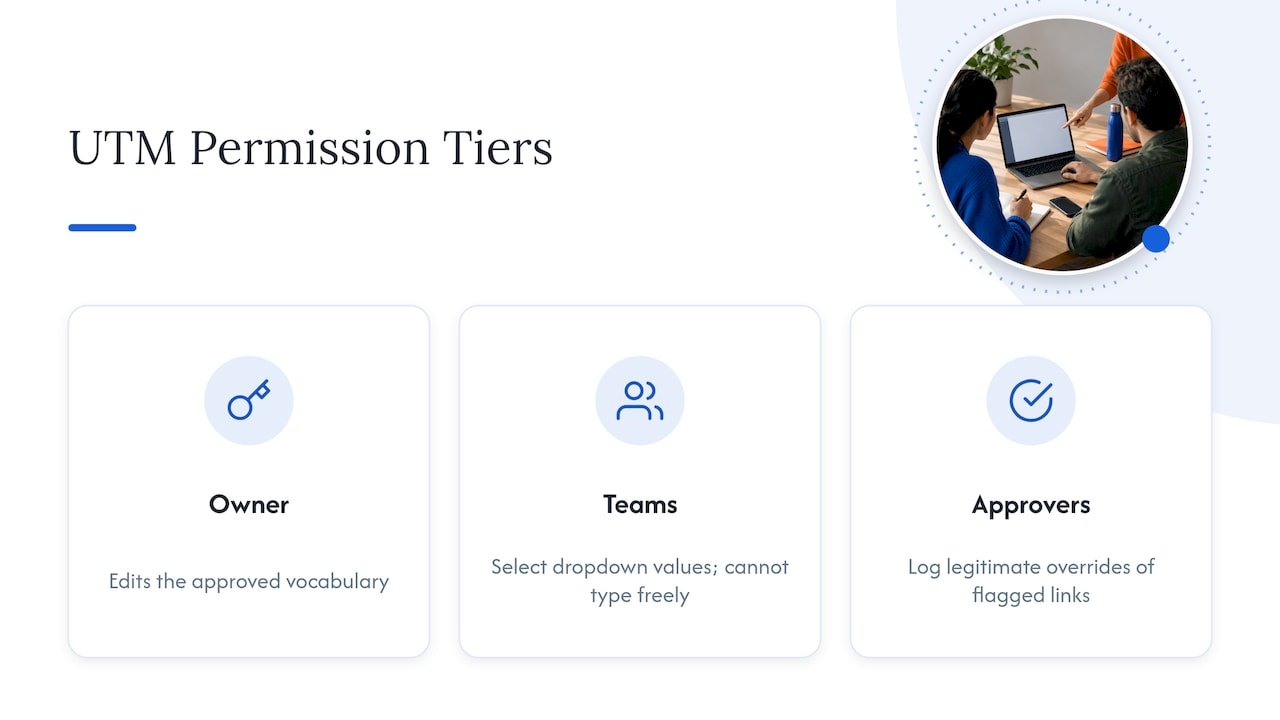
A workable permission structure usually has three tiers. The taxonomy owner holds edit rights over the approved vocabulary itself, meaning they’re the only one who can add or retire a medium or source value. Channel teams and agency partners get builder access scoped to dropdown selection only, with no ability to type a free-text value into a controlled field. A smaller group of approvers, often the same people who handle prelaunch validation, can override a flagged link when there’s a legitimate exception, with that override logged rather than silent.
This structure matters most at the agency boundary. An agency workspace should expose only the fields and values relevant to that agency’s campaigns, not the full internal vocabulary, which limits both accidental misuse and the risk of an unapproved value leaking into live campaigns. When an agency relationship ends, revoking workspace access should be immediate and shouldn’t affect the brand’s ownership of link history, which is why that history needs to live in brand-controlled accounts from the start.
Review permissions on the same quarterly cadence as the taxonomy audit. Team changes, agency transitions, and new channel owners all create permission drift just as easily as the naming vocabulary does, and catching it on the same schedule keeps both reviews efficient.
Practitioner perspective: when to centralise vs federate naming
We’d argue the biggest governance mistake is over-centralizing everything instead of just utm_medium. Keep medium locked since it drives channel rollups. Let teams own utm_content or utm_term freely, since creative-level detail rarely breaks reporting. Soft governance, meaning approved dropdowns rather than rigid approval chains, reduces friction without losing control.
— Don
How Brainiac can help: pilot, governance framework, and managed support
If your campaign data is already fragmented across teams and agencies, we can help you fix it without rebuilding every system at once. Our marketing operations and governance work typically starts with a single pilot channel, measures the before-and-after in your own reporting, and expands once the workflow is proven. From there, our broader marketing operations optimization and support work extends the same enforcement-first approach across attribution, CRM automation, and analytics. Visit Brainiac Consulting to talk through where your tagging is breaking down and what a pilot would look like.
FAQ
What is an example of a UTM?
A UTM-tagged URL looks like https://example.com/?utm_source=linkedin&utm_medium=paid-social&utm_campaign=0626-webinar-launch. Each parameter tells your analytics platform exactly which source, channel, and campaign drove that specific click.
What is UTM vs GTM?
UTM parameters are tags added to a URL to identify campaign source, medium, and name in your analytics reports. GTM, or Google Tag Manager, is a separate tool for deploying tracking code and can also reuse configuration variables that sometimes override UTM values, so the two work together rather than compete.
What does UTM stand for in digital marketing?
UTM stands for Urchin Tracking Module, a naming convention originally built for the Urchin analytics tool that Google later acquired. It’s now the standard way marketers tag links so traffic sources show up correctly in Analytics reports.
What are the five UTM parameters?
The five standard parameters are utm_source, utm_medium, utm_campaign, utm_content, and utm_term. Source, medium, and campaign are the most commonly required, while content and term add detail for distinguishing creative versions or paid keywords.
Sources
- Collect campaign data with custom URLs – Analytics Help
- Traffic-source dimensions, manual tagging, and auto-tagging – Analytics Help
- Campaigns and traffic sources – Analytics Help