
Pipeline hygiene automation uses CRM rules, scheduled flows and, increasingly, AI agents to find stale deals, fix predictable data gaps and flag the rest for a human, so your forecast rests on records you can trust. The goal is not a cleaner dashboard for its own sake. It is a pipeline where close dates, stages, amounts and next steps mean what they say, which is what makes forecasting, attribution and lead qualification work.
This guide covers what to automate first, which changes should stay with a person, how to roll rules out without annoying your sellers, and how to tell whether any of it is working.
TL;DR
- Start with rules that have one obvious right answer: past-due close dates, missing required fields, and deals with no activity for a defined period.
- Use validation rules to prevent bad data at entry, and scheduled flows to clean up what slips through.
- Let AI agents audit, summarize and propose changes; keep stage changes, amount changes and closures under human review.
- Tell the sales team before you automate anything, test in a sandbox, then switch rules on one at a time.
- Measure the result with data completeness, stale-deal counts and forecast accuracy, and review the rules every quarter.
Table of Contents
- What pipeline hygiene automation actually does
- What to automate first
- Prevent first, clean second
- Where AI agents help, and where people stay in charge
- How to roll it out without disrupting sales
- Measuring whether it works
- Keeping rules healthy over time
- Our perspective
- Work with us on pipeline hygiene
- FAQ
- Sources
What pipeline hygiene automation actually does
Pipeline hygiene is the ongoing work of keeping deal records accurate, complete and current at every stage. Manual hygiene fails for a simple reason: it is a different job from selling, and sellers are rewarded for selling. A weekly “please update your deals” email works for two weeks.
Automation takes the repeatable part of that job and gives it to the system. In practice it does four things:
- Prevents bad data from entering, through required fields and validation rules.
- Detects problems on a schedule: deals with no activity, close dates in the past, opportunities with no contact roles.
- Corrects what has a safe default, such as pre-filling fields from the account record.
- Escalates everything else to the owner or manager with the specific fix needed.
The cost of skipping this is concrete. Outdated, incomplete or inaccurate records, close dates being a prime example, lead to wrong forecasts and make capacity planning impossible. Every downstream number inherits the error: pipeline coverage, win rates, velocity, and the attribution reports that marketing uses to defend its budget.
Think of the pipeline as a garden rather than a warehouse. You do not stock it once and walk away. Automation is the irrigation and the weeding schedule; it does not replace the gardener’s judgment about what to plant.
What to automate first
The most common mistake is starting with the most sophisticated problem. Start instead with the issues that are frequent, unambiguous and cheap to fix. Rank candidates on two questions: how often does this happen, and is there one defensible right answer?
| Problem | How to detect it | Safe automated action | Human review? |
|---|---|---|---|
| Close date in the past | Open opportunity with close date before today | Notify owner; optionally push date by a set interval | Yes, if the date moves more than once |
| Missing required fields | Blank amount, next step or lead source at a given stage | Block the stage change with a validation rule | No, the rule explains what is missing |
| Stale early-stage opportunities | No activity or stage change for a set number of days | Close or archive with a standard reason | Light review in a weekly list |
| Stale late-stage opportunities | Same, but at proposal or negotiation | Alert owner and manager | Yes, always |
| Missing contact roles | Opportunity with no primary contact | Auto-assign from the most recent engaged contact | Spot check |
| Blank fields available elsewhere | Industry, region or segment empty on the deal | Copy from the account | No |
| Empty next step | Open deal with no next step or task | Create a task for the owner | No |
Past-due close dates
This is the highest-value first rule. A deal sitting open with a close date two months ago inflates the current quarter’s pipeline and drags the forecast. Run a scheduled job that finds these records and either nudges the owner or applies a rule you have agreed in advance. In Salesforce, a schedule-triggered flow can start on a set schedule and run once, daily or weekly against every record that meets your filter conditions, which is exactly the shape this job needs.
Required fields at the right stage
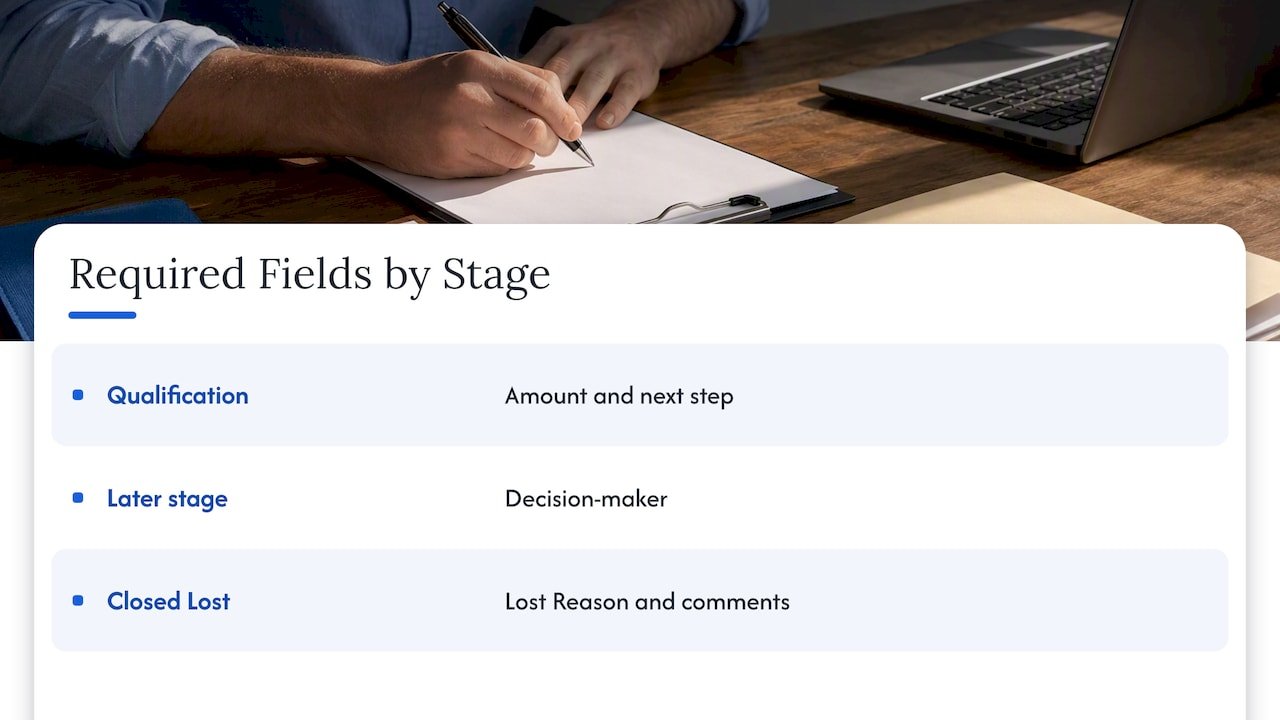
Do not demand everything at creation; sellers will enter junk to get past the form. Require information when it becomes knowable. An amount and a next step belong at qualification; a decision-maker belongs later. Salesforce documents how to build a validation rule that blocks a stage change unless the amount is greater than zero and a required date field is filled in, and the same pattern covers most stage-gate requirements. Likewise, a validation rule can require a Lost Reason and comments when an opportunity is set to Closed Lost, which gives you loss analysis you can actually use.
Stale deals
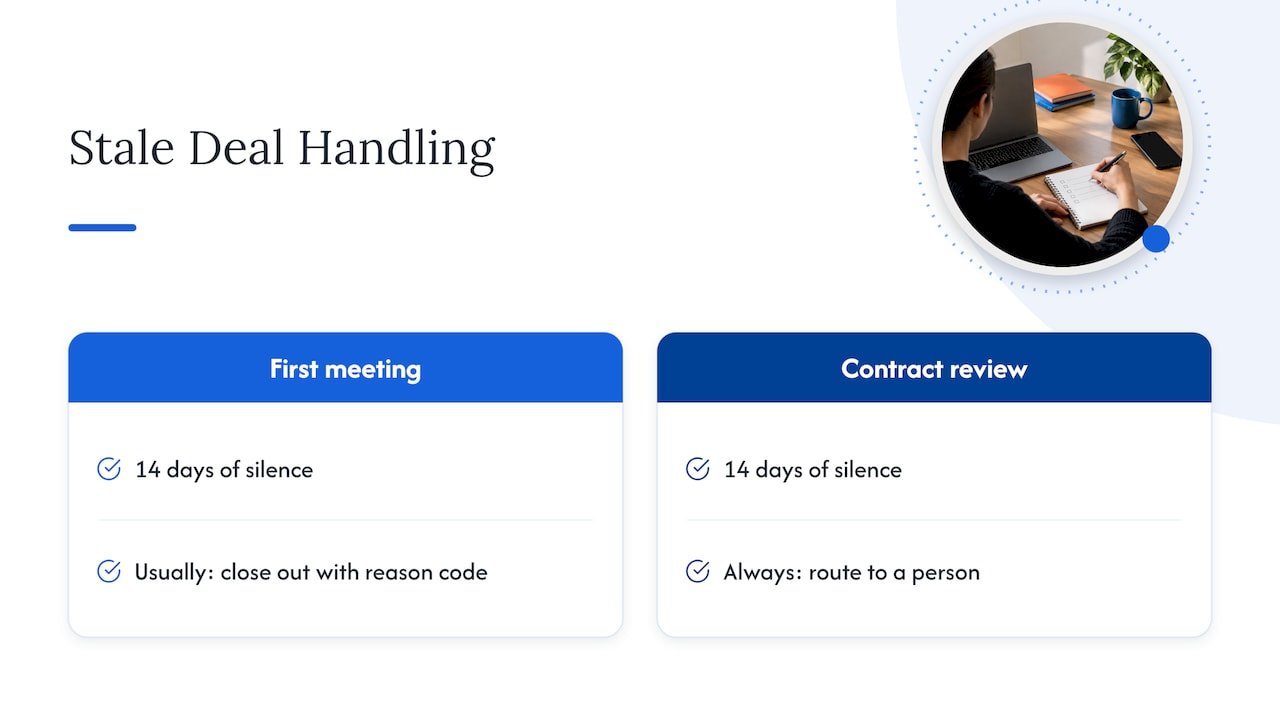
Define “stale” by stage, not globally. Fourteen days of silence on a first-meeting opportunity means something different from fourteen days at contract review. Early-stage staleness can usually be handled by a standard close-out with a reason code. Late-stage staleness should always route to a person, because the deal may be real and merely quiet.
Gaps you can fill automatically
If the account record already says the company is in financial services in the Midwest, the opportunity should not depend on a rep to retype it. Copying values from the account removes a category of manual entry entirely. The same thinking applies upstream: consistent data entry automation is easier to trust when every field has a single source and a single owner.
Prevent first, clean second
Cleanup jobs are a safety net. The better investment is stopping bad records from forming. Three habits do most of the work:
- Lock down opportunity creation. If anyone can create an opportunity from anywhere, you will get duplicates and orphaned deals. Limit creation paths to a few controlled ones.
- Use stage-gated requirements. Each stage defines the fields that must be true to enter it, and the system enforces them.
- Standardize picklists. Free-text lead sources and loss reasons cannot be reported on. Controlled values can.
It also helps to know where dirty data originates before you build rules around symptoms. Import mismatches, form fields that map badly, and unmatched identifiers across tools are frequent culprits, and a guide on fixing match rates in marketing data quality walks through that upstream side. If you are building these flows in Salesforce, our notes on enterprise Salesforce Flow practices cover error handling, bulk safety and maintainability, which matter more than the first rule you write.
Where AI agents help, and where people stay in charge
Rule-based automation handles conditions you can write down. Pipeline hygiene also has fuzzy cases: Is this deal really dead, or is the buyer on holiday? Does the last email thread imply the close date should move? Is this “next step” field meaningful, or just “follow up”? An AI agent can read the activity, email and call context that a rule cannot.
A sensible division of labour looks like this:
Agents can do on their own
- Audit every open deal on a schedule and produce a ranked list of issues by owner.
- Summarize recent activity so a manager can review a deal in seconds.
- Draft a suggested next step or close-date change as a proposal, not a write.
- Fill low-risk descriptive fields from reliable internal sources.
Humans should approve
- Stage changes, especially moving a deal backward or forward by more than one stage.
- Amount changes and discount-related fields.
- Closing a late-stage deal as lost.
- Anything that touches data feeding a board-level forecast.
The principle is that an agent’s write permissions should match the cost of being wrong. Start every agent in a proposal-only mode, compare what it suggests with what your team would have done, and widen its permissions only after the match is consistently high. We cover this approach in more depth in our piece on guardrails for agentic CRM workflows, and on whether your data is in shape for it in is your CRM ready for AI agents.
How to roll it out without disrupting sales
The fastest way to kill a hygiene programme is to surprise the sales team. Auto-closing a rep’s deal overnight without warning teaches them that the CRM is something that happens to them. A calmer sequence:
- Announce the rules first. Tell sellers what will be flagged, what will be changed automatically, and why. Explain the benefit in their terms: fewer reminder emails, a forecast that stops being questioned in every meeting.
- Run in report-only mode. For one to two weeks, let each rule identify records without touching them. Review the volume. A rule that flags 40 per cent of the pipeline is a definition problem, not a people problem.
- Test in a sandbox. Confirm that rules fire on the right records, that bulk updates do not hit limits, and that integrations with marketing automation do not react badly to changed values.
- Turn on notifications before actions. Nudge first. Automatic changes come only after owners have had a chance to respond.
- Enable one rule at a time. If something breaks, you know which rule caused it.
- Give people an exception path. A deal that is legitimately slow needs a way to say so, such as a flag with an expiry date, so the rule does not keep fighting it.
If your team lives in a mix of tools, remember that acceptance and handoff rules interact with hygiene rules. A lead that bounces between marketing and sales without a clear acceptance standard will show up as a hygiene problem later; our write-up on acceptance-first sales handoff automation and on enriching before routing shows how to deal with that earlier in the funnel.
Measuring whether it works
A hygiene programme without metrics is a belief system. Pick a small set and track it from the day before you switch anything on.
Data health
- Percentage of open opportunities with all stage-required fields complete.
- Count and value of open deals with past-due close dates.
- Count of open deals with no activity beyond your stage-specific threshold.
Process behaviour
- Time from a flag being raised to the owner resolving it.
- Number of exceptions granted, and how many expire unresolved.
- Share of agent proposals approved without edits (if you use agents).
Business outcomes
- Forecast accuracy: forecast at the start of the period against what closed.
- Lead qualification quality: conversion from accepted lead to opportunity, and from opportunity to win.
- Attribution coverage: share of closed-won revenue with a populated source and campaign association.
Expect the data-health numbers to move first, within weeks. Forecast accuracy takes at least a full quarter to show a trend, because you need enough closed deals to compare. Attribution improves when contact roles and lead sources are consistently populated, since multi-touch models can only credit touchpoints they can see. If forecasting is the metric your leadership cares about most, a structured multi-touch forecasting pilot is a natural next step once the data is clean, and our pipeline analytics playbook covers three metrics that tend to predict revenue better than raw pipeline totals.
Keeping rules healthy over time
Rules age. A stale-deal threshold set when your average cycle was 45 days becomes wrong when you move upmarket and cycles reach 120. We suggest a simple cadence:
- Monthly: skim the exceptions list and the rules that fired most often. A rule firing constantly may be too strict, or reps may have found a workaround.
- Quarterly: review every threshold against actual sales cycle length by segment, retire rules nobody needs, and check that stage definitions still match how you sell.
- After any change: new products, pricing models, territories, a CRM migration or a new integration should trigger a check of affected rules.
Assign an owner for the rule set, typically in sales or revenue operations, and keep a change log. When a rep asks why a deal was flagged, you should be able to point to the rule, its purpose and the last time it was reviewed.
Our perspective
Most pipeline hygiene projects fail not on technology but on trust. Sellers stop believing the CRM is for them, and leadership stops believing the CRM is accurate. Automation done badly deepens both problems.
We build hygiene automation to be inspectable. Our approach favours open-source builds and clear integrations with Salesforce, HubSpot and the rest of your stack, so you can see exactly why a record was flagged or changed, instead of facing a black box. That visibility is what lets a sales leader defend the forecast and a rep accept the nudge.
We also think the next layer belongs to agents, designed carefully. An agent that audits every open deal weekly, explains its reasoning and proposes fixes frees revenue operations from spreadsheet policing. But it earns write access gradually, with shadow testing and governance in place, which is why we pair agent work with an honest assessment of your data and process first.
Treat attribution as a map rather than a courtroom verdict: it guides decisions only if the underlying records are sound. Pipeline hygiene is how you make them sound.
Don
Work with us on pipeline hygiene
If your team has already outgrown manual cleanup, we design and operate the automation and analytics behind it, from CRM rules and Salesforce Flow builds to custom AI agents that audit and maintain pipeline data inside your own environment. Our custom agent deployment service covers agent design and rollout, and marketing operations optimization and support covers the ongoing process work around it. Not sure where to begin? Our AI strategy and readiness advisory starts with an assessment of what is automatable in your stack today.
You can also talk to our team about your pipeline.
FAQ
What is the difference between pipeline hygiene and CRM data hygiene?
CRM data hygiene covers every record in the system: contacts, accounts, leads and deals. Pipeline hygiene focuses on open opportunities and the fields that drive forecasting, such as stage, amount, close date and next step. In practice the two overlap, and clean contacts and accounts make pipeline rules far easier to write.
Should automation close stale deals automatically?
For early-stage deals with a clear inactivity threshold, a standard close-out with a reason code is usually reasonable once owners have been warned. For late-stage deals, route the record to the owner and manager instead. A quiet late-stage deal may still be alive, and closing it wrongly corrupts both forecast and win-rate data.
Do I need AI agents, or are CRM rules enough?
Rules cover most of the first wave: required fields, past-due dates and inactivity alerts. Agents become useful when the judgment depends on unstructured context such as emails, call notes and activity patterns. Many teams get solid results from rules first and add an agent in proposal-only mode later.
How often should we review our hygiene rules?
Check exceptions and the most frequently triggered rules monthly, and review thresholds quarterly against your actual sales cycle by segment. Also review them after any change to pricing, territories, stage definitions or integrations.
Sources
- What Is Dirty Data? Salesforce sales operations Q&A
- Schedule-Triggered Flows, Salesforce Help
- Validation Rule to prevent Opportunity Stage change unless the Amount > 0, Salesforce Help
- Closed Lost validation rule discussion, Salesforce Trailblazer Community
- CRM Automation for SMBs: Boost Efficiency and Sales
- 4 Steps to Fix Match Rate in Marketing Data Quality